Redman Week 7

Delaware County GIS Data Inventory

  • Address Point: spatially accurate representation of all addresses within the county that indicates the centroid of buildings. Used largely by emergency response teams.
  • Parcel: polygons that represent all cadastral parcel lines within the county. 
  • Recorded Document: Points that represent recorded documents in the county recorder’s plat books. Documents include: vacations, subdivisions, centerline surveys, surveys, annexations, and miscellaneous documents in the county as it relates to the cadastral landbase.
  • Zip Code: All zip codes in the county
  • School District: All school districts in the county
  • Map Sheet: All map sheets in the county
  • PLSS: All of the Public Land Survey System (PLSS) polygons in both the US military and Virginia military survey districts of the county. Aids in identifying all of the PLSS and boundaries in both military survey districts in the county.
  • MSAG: Master Street Address Guide polygon featureset of the townships, cities and villages that make up the county. Created to locate boundaries of the cities, townships, and villages of the county.
  • Municipality: All Municipalities within the county
  • Farm Lot: farmlots in both US and Virginia military survey districts of the county. Created to identify farmlot boundaries.
  • Township: The 19 townships that make up the county
  • Street Centerline: Lines running down the middle of all paved roads in the county
  • Annexation: contains annexations and conforming boundaries from 1853 to present
  • Condo: All condominium polygons within the county recorded by the county recorders office.
  • Subdivision: All subdivisions and condos recorded in the county recorders office.
  • Dedicated ROW: All lines that are designated Right-Of-Way within the county. 
  • Precincts: Voting Precincts in the county
  • Survey: shapefile of a point coverage that represents surveys of land within the county.
  • Tax District: All tax districts within the county defined by the county Auditors Real Estate Office. Data is dissolved on the Tax District code. 
  • Building Outline 2021, 2023, 2024: Building outline structures for all years. All years included for comparison.
  • Railroads: Allows users to view locations of railroads within the county.
  • Delaware County E911 Data: spatially accurate representation of all addresses in the county. Address points indicate building centroid. Used for appraisal mapping, 911, accident reporting, geocoding, and disaster management.

J Bailey Week 7


Property & Housing
● Parcel: The exact legal shape and boundaries of individual property or land plots.
● Condo: Outlines showing individual condominium units and complex boundaries.
● Subdivision: Neighborhood boundaries showing residential developments, their lot
counts, and creation dates.
Addresses, Roads & Infrastructure
● Address Point: Specific dot locations mapped directly to street addresses, used mainly
by emergency responders to find exact front doors or driveway entries.
● Street Centerline: Lines running down the middle of paved public and private roads,
used for navigation and route planning.
● Dedicated ROW (Right of Way): Lines marking public land set aside along roads for
streets, sidewalks, and utilities.
Administrative & Boundaries
● Municipality: Legal borders for incorporated cities and villages (like Delaware, Powell,
or Sunbury) that have local governments and taxes.
● Township: Legal local government districts dividing the county outside of city limits.
● Zip Code: Geographic zones created by the postal service to organize mail delivery and
group addresses.
● School District: Regional zones that decide which public schools serve children living in
specific areas.
● Tax District: Specific geographic zones where property owners pay the same set of
local tax rates.
Historical & Land Records
● PLSS (Public Land Survey System): A historical grid system used to divide and survey
public land, originally used to grant land awards to Revolutionary War veterans.
● Farm Lot: Historical land subdivisions created within the older military survey grid
system.
● Map Sheet: Index grid tiles used by local offices to split the county into manageable
paper tax map pages.
● Recorded Document: Reference points linking specific addresses to filed county land
records, like land surveys and legal filings

Jan Week 7

Delaware County GIS Data Inventory

I went through the Delaware County GIS Data Hub and read about each layer. Here is what each one is.

  • Parcel: Every property in the county as a shape. The table has the owner, acres, value, year built and a land use code.
  • Address Point: A point for every address. Mostly used for 911.
  • Street Centerline: A line down the middle of every road.
  • Building Outline 2021, 2023, 2024: The outline of every building from aerial photos. You can compare years to see new buildings.
  • Two Foot Contours: Lines that show elevation every 2 feet.
  • Hydrology: The main rivers, streams and lakes like Alum Creek and Hoover.
  • Zip Code: ZIP code areas.
  • Township: Township borders today.
  • Original Township: Township borders from when the county was first surveyed.
  • Municipality: City and village borders like Delaware, Powell and Sunbury.
  • MSAG: Areas 911 uses to know who should respond to an address.
  • School District: School district borders.
  • Tax District: Areas that pay the same tax rate.
  • Precincts: Voting areas.
  • Subdivision: Neighborhoods with their name, number of lots and the date they were made.
  • Condo: Condo buildings and complexes.
  • Annexation: Land that became part of a city or village over time, with dates.
  • PLSS: The old land survey grid used to split up land.
  • Farm Lot: Farm lot lines inside that survey grid.
  • Map Sheet: The grid for the county’s tax map pages.
  • Recorded Document: Land records filed with the county, like surveys and annexations.
  • Dedicated ROW: Public right of way lines along roads.
  • Survey: Points where land surveys were done.
  • GPS: GPS markers set in 1991 and 1997.
  • Railroads: Train tracks in the county.
  • E911 Data: The full set of data 911 uses.
  • DXF files: CAD versions of the addresses, streets and buildings.

I choose to Map: Parcels, Streets and Hydrology

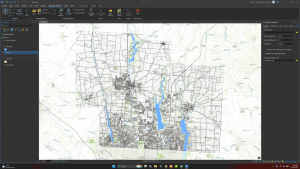
  • I downloaded Parcel, Street Centerline and Hydrology as shapefiles and added them to a new ArcGIS Pro project.
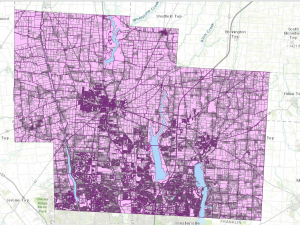
  • There are 103,042 parcels. The south near Columbus is packed with small lots, and the north is mostly big farm parcels.
  • Alum Creek and Hoover reservoirs really stand out, and a lot of roads and neighborhoods are built around them.

Question: Some layers come as both shapefiles and DXF files. Who uses the DXF versions? Is it mostly engineers and surveyors?

Jan Week 6

Chapter 7: Digitizing

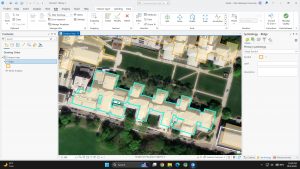
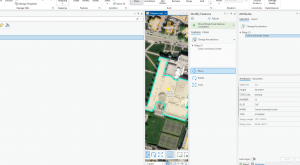
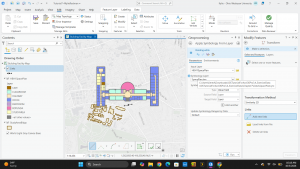
  • Edited the Carnegie Mellon campus buildings by moving, rotating, adding vertices and splitting polygons so they lined up with the World Imagery basemap
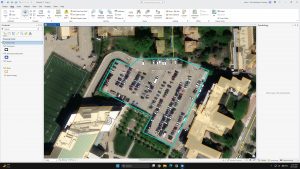
  • Made a new ParkingLots feature class and drew a parking lot polygon by tracing over the imagery
  • The chapter also covered smoothing polygons and lining up CAD drawings with the real map

Question: When you trace over a basemap, how accurate is it compared to GPS or LiDAR? Which would you trust for an official map?

Chapter 8: Geocoding

  • Geocoding; turning addresses or ZIP codes from a table into points on a map
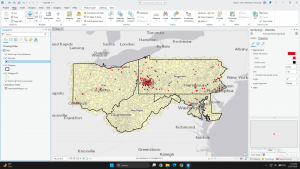
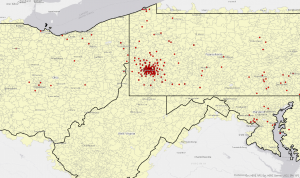
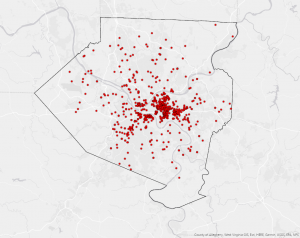
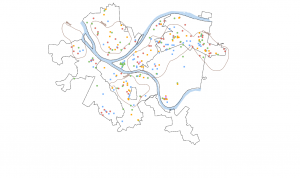
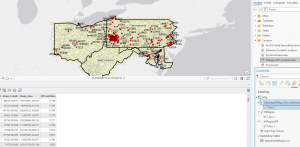
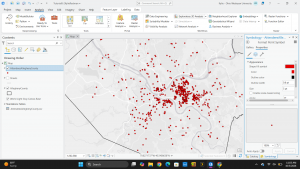
  • Built a ZIP code locator and geocoded survey data from a Pittsburgh arts event. People came from PA, OH, MD and WV, but most were clustered around Pittsburgh
  • Used Collect Events to combine attendees in the same ZIP into one point, so bigger circles equals more people (up to 118 in one ZIP)


Question: How accurate is ZIP code geocoding compared to street addresses, and when is ZIP level good enough?

Chapter 9: Spatial Analysis

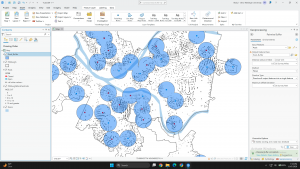
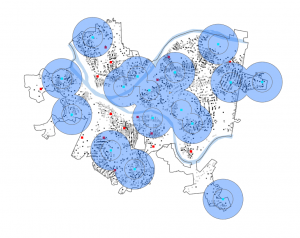
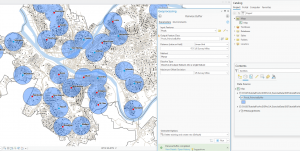
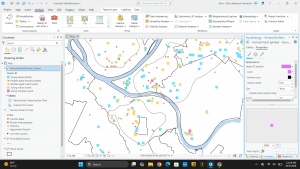
  • 9-1: used Pairwise Buffer to draw half-mile zones around Pittsburgh’s 32 public pools, then Select by Location to count kids (ages 5–17) close by. About 44.6% of kids live within a half mile of a pool
  • I got ERROR 000210 the first time because the output wasn’t saving to a geodatabase. Picking a proper output location fixed it
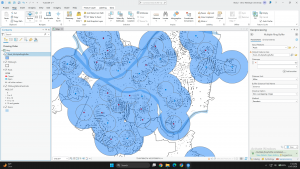
  • 9-2: Multiple Ring Buffer with 0.5 and 1 mile rings, so you can see who’s close vs. a bit further
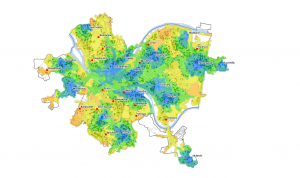
  • Buffers are straight-line distance, which isn’t perfect for Pittsburgh with all the rivers and hills. That’s why the chapter moves to service areas on streets next


Question: How much do service areas (real street distance) change the answer compared to simple buffers in a city like Pittsburgh?

Week 8 Beard

Week 8:


Parcel: This dataset shows all cadastral parcel lines within Delaware County as polygons. This data is maintained by the Auditor’s CAMA and published monthly.


Street Centerline: This dataset shows street centerlines that are on pavement in public and private roads throughout Delaware County. This is gained by observing address locations as well as adding addresses from permit information. All of these points are collected to create this map through the connection of the lines/streets.


Condo: This dataset shows each condo that is in Delaware County by using polygons just like in the parcel dataset.


Subdivision: This dataset shows all the condos and subdivisions that are seen in Delaware County. We can see from this map that there are a lot of subdivisions.


Address Points – DXF: This dataset is used to accurately place addresses within their given area in Delaware County. With this data, we can see the exact places where these addresses are.


Street Centerlines – DXF: This dataset is used to show the streetlines on Delaware County’s public and private roads. Just like the street centerline above.


Zipcodes: This dataset shows all of the ZIP codes within Delaware County. Through the different areas on the map were are able to see the different zip codes from the boundary lines. These ZIP codes were based on USPS and the Census Bureau’s ZIP code files.


School Districts: This dataset consists of all School Districts within Delaware County. From the map, we can see that there are 23 districts in Delaware County.


Building Outline 2023: This dataset shows every single building in Delaware County. On the map, when you zoom in, we see a blue cover on every single building outline, which just shows how many there are.


Building Outline 2021: This dataset is the same as above.


PLSS: This dataset shows us how many Public Land Survey Systems there are in Delaware County. We see this through polygons that represent both US Military and the Virginia Military Survey District. Through this data, we can see that there are 134 in Delaware County.


Township: This dataset shows the different townships that are in Delaware County. Through this data, we can see that there are 60 in Delaware County.


Delaware County E911 Data: This dataset uses spatially accurate address points within Delaware County. It helps show appraisal mapping, 911 emergency responses, accident reporting, geocoding, and disaster management in each spot in Delaware County.


Original Township: This dataset shows the different townships that are within Delaware County. From this data, we can see that there are 18 in Delaware County.


Recorded Document: This dataset shows recorded documents in the Delaware County Recorder’s Plat Books, Cabinet/Slides, and Instruments Records, which are not represented by subdivision plats that are active. These are documented as vacations, subdivisions, centerline surveys, surveys, annexations, and miscellaneous documents within Delaware. From the map, we can see that there are 1,242.


Dedicated ROW: This dataset shows all lines that are designated Right-of-Way within Delaware County. With the data being line data, it is created daily. From the map, we can see that there are 1,335 in Delaware County.


Precincts: This dataset shows the number of voting precincts in Delaware County. From the map, we can see that there are 180 in Delaware County.


Delaware County Contours: This dataset shows 2018 Two Foot Contours as well as 2018 Two Foot Contours for Delaware County.


Building Outlines – DXF: This dataset is used to see the building outlines of all the buildings in Delaware County.


Address Points: This dataset is used to accurately place addresses within their given area in Delaware County. With this data, we can see the exact locations of these addresses.


Map Sheet: This dataset is used to show all the map sheets in Delaware County. From the map, we can see that there are 360 in Delaware County.


Farm lot: This dataset is used to show all the farm lots in both the US Military and the Virginia Military Survey District. From this, we can see the boundaries in both of these areas. From the map, we can see that there are 2,077 plots in Delaware County.


Annexation: This dataset is used to show all of the annexations and conforming boundaries from 1853 to the present in Delaware County. From the map, we can see that there are 446 in Delaware County.


Survey: This dataset is used to show survey points in a shapefile of point coverage that represents surveys of land within Delaware County. From the map, we can see that there are 18,097 in Delaware County.


Tax District: This dataset is used to show all tax districts within Delaware County. From the map, we can see that there are 66 districts in Delaware County.


Hydrology: This dataset is used to show all major waterways within Delaware County. From this map, we can see that there are 24 major water sources in Delaware County.


GPS: This dataset shows all GPS monuments that were established in 1991 and 1997. From this map, we can see that there are 351 GPS monuments in Delaware County.
Montana week 7

Summary of Delaware county GIS data

Parcel

This data layer displays all individual properties as a polygon that can be selected. Displays polygon data  and the corresponding information.

Address point

This data set aims to show the accurate point tied to each street address. The main use of this layer is to provide quick and accurate information to first responders.

Recorded document

An array of points that indicated recorded documents in the Delaware county record coming from each address. This was used to find miscellaneous documents.

Zip code

Separates Delaware county by zip code. In Delaware county there are 21 zip codes represented. Zip coders are used by counties to group addresses by geographic location.

School district

Roughly models similar polygons to zip code. Less School districts are present. School districts can be an important variable for parents moving to a new neighborhood in their decision to buy a home.

Map sheet

All map sheets in Delaware County. Not quite sure what a map sheet is but it seems to represent some form of geographic area.

PLSS(Public land Survey System)

Used by the US military and the Virginia Military service district of Delaware county. The internet said it is a public land use system for compensating Revolutionary war soldiers?

MSAG(Master street address guide)

Shows the 28 political jurisdictions found in Delaware county(ex: townships, cities, villages). Created to show boundaries and is most likely used in finding addresses and general geographic regions. I assume many of these boundaries cross into other counties.

Municipality

This seems to be something like a subset of the MSAG regions but this time I believe it is only showing those with defined corporation limits. Centered around areas of high development.

Farm lot

Shows data from the US military and Virginia military survey. All data is organized into farm plots even though not all the area is a farm plot. I believe they are ranked by percentage farmland based off of their FL_ID.

Township

Separates Delaware into its 19 different townships.

Street Centerline

Shows all major streets in Delaware. Useful for pathfinding and display of density of road systems. Smaller private roads do not seem to be present.

Annexation

Displays polygons that were individually annexed into Delaware counties and several municipalities. Includes date annexed.

Condo

Shows all condominiums located within Delaware county. Can be useful for mailing addresses as well as advertising campaigns that benefit from closely clumped groups of people.

Subdivision

Similar to above lists all subdivisions. Subdivisions are more common than condos here in Delaware county.

Dedicated ROW

Database of all roadlines indicated as right of way. Important in management of road infrastructure and calculating driving distances etc..

Precincts

Separates Delaware county into precincts.USed for voting and can be used by political analysts to identify causes of political background(ex: farmland, urban areas, often linked to political profiles)

Survey

Many individual data points. They indicate places where land surveys have been carried out.

Tax district

Separates Delaware into task districts. Similar to other boundaries that have been drawn around the city/township.

Building outline

Outlines all buildings as of 2024. Very defined polygon drawings that can indicate house shape and size. High number of individual polygons. Shape area and length can be important here in studies done on this value.

Railroads

Indicates railroads. Can be an important factor in determining living areas because of noise issues. Construction companies might choose to build elsewhere based on close proximity to railroads.

Delaware county E911 Data

Used by emergency response units to find individual house centroids and make decisions on things like emergency response placement, and locating emergency addresses.

Building outline data 2021

Same as above (2023, 2024)

Hydrology 

All major waterbodies. Includes the 4 large lakes and some smaller reservoirs and some rivers of a certain size or larger. Includes area and is an important layer for those concerned with available drinking water, recreation, etc.

GPS

Pairs of centroids located nearby to each other vary in distance. Each represents a GPS monument. All were established in 1991 or 1997.

Delaware county contours

Shows the contours of Delaware County. Contours are represented by 2 foot increase and decrease.

Original township

Shows original township location. Includes name and acreage. Does not include for what period these townships existed.

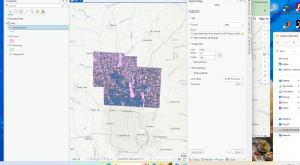
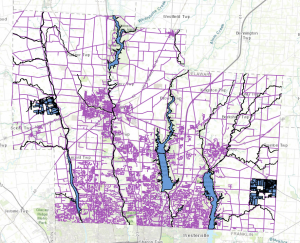
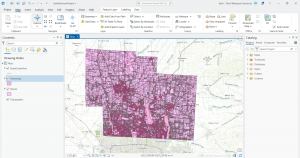
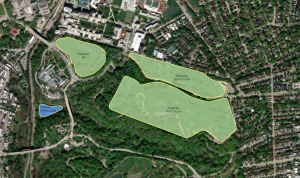
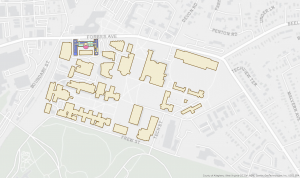
This is a map containing the layers parcel, Street Centerline, and Hydrology.
Parks Week 6

Chapter 7:

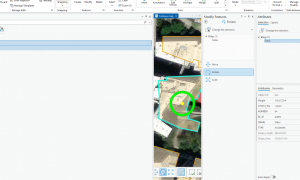
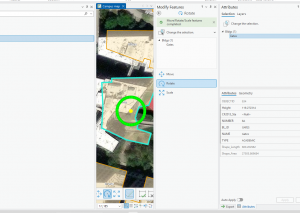
In chapter 7, how to edit polygons was discussed thoroughly. The chapter used a campus map to orient the polygons. We had to adjust polygons by moving and reshaping them to correctly overlay the mapped out buildings in the layer below. We also had to create and delete polygons. A new category of polygon was created for parking lots to differentiate them from buildings. Features were also added to the map within the polygons. In this case, we added bus stops along the route. This chapter also covered smoothing polygons to make them more appealing to look at. Lastly, we had to import a polygon and transform it onto the underlying building properly by connecting the corners to each other, so the polygon orientation and location is correct.

Chapter 8:

Chapter 8 was relatively short with only two tutorials. It was focused on geocoding using zip codes and addresses. Geocoding is taking descriptive location data, like streets addresses, and turning them into spatial coordinates that GIS can use. We also had to create locators while working with GIS. There were some points in the data that had blanks, so we had to rematch the data to make sure everything was correct. Geocoding seems like it could come in handy when working with data not specifically meant for GIS.

Chapter 9:

In chapter 9, buffers were discussed to investigate the placement of pools. Buffers were used to see how close the pools were to each other. This chapter covered both single ring and multiple ring buffers. Multiple ring buffers are capable of showing several different distances. We also created buffers based on the service area for the pools. Service areas are in regards to traveling time based on streets. We also used the network analyst tool to understand the distance between the pools. With the use of buffers we were able to assess the usage and attendance for each of the pools to figure out which pools have the highest attendance. Finally, we used the multivariate clustering tool to assess serious crime by gender and age group.

MaBailey Week 6

Makaylin Bailey


In Chapter 7, I learned how to create, edit, and delete different GIS features, including points, lines, and polygons. I also learned how to digitize features by using basemaps and existing layers as guides. The chapter showed how GIS can be used to update maps for places that are changing, such as the Carnegie Mellon University campus. I also learned about using lidar, GPS, CAD drawings, and other data sources to help create accurate GIS features. Another skill I learned was how to adjust and smooth features so that the map is more accurate and easier to use.What I learned from this chapter is that GIS editing and digitizing are important for keeping maps updated. I learned that different types of data can be used together to create accurate features and that GIS can help planners, engineers, and architects keep track of changes to buildings, roads, sidewalks, and other features.

In Chapter 8, I learned about geocoding and how GIS can turn information such as addresses and ZIP codes into locations on a map. I learned how to geocode data using ZIP code polygons and street centerlines. The chapter also explained that addresses are not always entered correctly because people can make spelling mistakes, use abbreviations, or leave out information. Because of this, GIS uses fuzzy matching to find the closest possible match. I also learned about Soundex, which helps identify words that sound similar, and how geocoding uses scores to determine the best match.What I learned from this chapter is that geocoding is useful for understanding where people, customers, patients, or other data are located. I also learned that geocoding is not always completely accurate, especially when the original address information is incorrect. Checking unmatched or incorrect locations is important when accurate locations are needed.

In Chapter 9, I learned how GIS can be used for spatial analysis instead of just displaying information on a map. I learned about buffers, multiple-ring buffers, service areas, facility location, and cluster analysis. These tools can help answer questions about distance, accessibility, and the best locations for facilities. The chapter also introduced network datasets, which can be used to estimate travel distance or travel time along streets. One example showed how GIS could help determine which public swimming pools should remain open based on how far people live from them. I learned from this chapter that GIS can help solve real-world problems by analyzing the relationships between locations. I learned that tools such as buffers, service areas, and network analysis can help organizations make better decisions about where to place or keep services. I also learned that cluster analysis can help identify patterns in geographic and demographic data.


Also Delware infor from week 5-

Parcel : This dataset consists of polygons that represent all cadastral parcel lines within Delaware County, Ohio.


Hydrology: This dataset consists of all major waterways within Delaware County, Ohio. This data was enhanced in 2018 with LIDAR based data.


Streetline :The State of Ohio Location Based Response System (LBRS) Street_Centerlines depict the center of pavement of public and private roads within Delaware County.

Bailey Week 6

J Bailey


Ch 7  Instead of just using premade maps, you can use a digital tracer to create new map shapes like property lines, parks, or paths by clicking points on your screen over a background image. Using the editing tools in ArcGIS Pro that allow you to  reshape, split apart, or glue together these digital shapes.  This chapter showed me  how to import and spatially adjust outdated or mismatched drawing files I liked  building background spreadsheets (attribute tables)  attaching descriptive names, categories, and measured details.

Ch 8  I learned how to use Geocoding which is basically interperting a map.  Instead of manually plotting coordinates, you learn how to take a simple list or spreadsheet of text data—such as street addresses or ZIP codes and automatically turn them into geographic features. It wa interesting setting up a locator tool, which acts like a digital directory that ArcGIS Pro references to match your text list to realworld coordinates. I practiced mapping specific datasets, like survey responses, using both broader ZIP code boundaries and exact street alignments. I learned  how to turn  administrative tables into  spatial maps.

Ch9  Spatial Anaylasis is looking at patterns and realtionships across a map. , I used advanced computer tools to answer difficult geographic questions and manipulate map data. I used buffers, which are protective zones or distance rings drawn around specific points, like marking a one-mile radius .  I find it interesting you can blend different map layers togetherwhich is similar to stacking transparent sheets so you can see where different pieces of information overlap.   You  can take basic geographic information and turn it into clear, visual solutions for decision making.


Parcel : This dataset consists of polygons that represent all cadastral parcel lines within Delaware County, Ohio.  


Hydrology: This dataset consists of all major waterways within Delaware County, Ohio. This data was enhanced in 2018 with LIDAR based data.  


Streetline :The State of Ohio Location Based Response System (LBRS) Street_Centerlines depict the center of pavement of public and private roads within Delaware County. 


Redman week 6

Chapter 7:

This chapter talks about digitizing. There are a wide variety of tools that are available when editing and creating GIS features. In this chapter, the tools introduced are used for manual digitization by tracing. Base maps are used to learn how to edit and create vector features. The chapter also discusses the creation of new feature classes and the use of base maps or existing layers as spatial guides in the digitization of features. Lidar is also used as a reference for heads-up digitizing. Vector features can be created using GPS receivers that collect longitude and latitude data. CAD and building information modeling (BIM) files can be imported into GIS maps and can be used to create feature classes.

Tutorial: in this chapter, it shows:

  • Edit polygon features
    • Move features
    • Rotate features
    • Add and remove vertex points
    • Split features
  • Create and delete polygon features
    • Add a feature class and create polygons
    • Delete polygons
    • Use the trace tool to create a polygon feature
  • Use cartography tools
    • Smooth a green space polygon
  • Transform features 
    • Add a CAD drawing and view layers
    • Use geo reference to move and rotate CAD drawing
    • Export the CAD file and assign a projection
    • Explore attributes and classify layers
    • Transform polygons

This chapter was very helpful in showing how to move and rotate buildings to line them up with the base maps. This chapter did a good job, in my opinion, of showing how easy it can be to digitize map features and align external information to GIS.

Chapter 8:

This chapter explains how to geocode address data and create point features from coordinate tables. Geocoding is the process of taking tabular address information such as street addresses, cities, states, and postal codes to convert them into spatial point locations on a map using an address locator. Along with addresses, GIS software frequently processes spreadsheet data that contains X and Y coordinate columns or latitude and longitude values collected from GPS units. Converting tabular data into mapped point features allows for spatial relationships and geographic patterns to be analyzed across municipal districts, public health zones, and service areas.

Tutorial: for this chapter, it shows how to:

  • Geocode address data
    • Prepare address tables for geocoding
    • Select and configure an address locator
    • Geocode a table of street addresses
    • Review geocoding results and match rates
    • Rematch unmatched and candidate addresses interactively
  • Create point features from coordinate data
    • Import tabular coordinate data (X/Y or Latitude/Longitude)
    • Display X/Y coordinate data as a temporary event layer
    • Define spatial references and coordinate systems for tabular data
    • Export event layers to permanent feature classes in a file geodatabase
  • Aggregate geocoded point data
    • Spatial join geocoded points to polygon boundary layers
    • Summarize address density by administrative boundaries

This chapter was very informative on address matching and converting spreadsheets with raw address or coordinate data into spatial map layers. It made it easy to clean unmatched addresses and summarize point density within boundary layers.

Chapter 9:

This chapter focuses on vector spatial analysis and geoprocessing tools used to answer geographic questions and solve spatial problems. Geoprocessing allows GIS users to combine datasets, run spatial operations, extract target areas, and build automated analysis workflows. The chapter introduces core vector processing tools including buffering, clipping, intersecting, unioning, erasing, and querying features by attributes or spatial locations. By overlaying multiple vector layers such as land use zoning, flood plains, demographic boundaries, and transportation corridors. GIS analysts can evaluate land suitability and measure environmental impacts.

Tutorial: this chapter shows how to:

  • Vector spatial analysis tools
    • Create single and multiple-ring buffers around features
    • Clip feature layers using spatial boundary polygons
    • Intersect spatial layers to identify overlapping areas
    • Union feature classes to combine geometric structures and attributes
    • Erase unwanted spatial features from analysis boundaries
  • Execute attribute and location queries
    • Select features by attributes using SQL expressions
    • Select features by location using spatial relationship rules
    • Combine attribute and spatial selections for refined analysis
  • Automate geoprocessing workflows
    • Open and navigate Model Builder
    • Add tools, datasets, and connectors to a Model Builder canvas
    • Set model parameters and run automated spatial models
    • Export models to Python scripts or share as geoprocessing tools

This chapter was very interesting as it showed how spatial overlay tools and Model Builder work together to automate repetitive geoprocessing workflows and analyze geographic relationships without manual repetition.

Chapter 10:

This chapter covers raster GIS and surface analysis techniques used to study continuous spatial data. Unlike vector data which uses points, lines, and polygons for discrete features, raster data represents continuous geographic phenomena with the use of a regular grid of square cells where each cell holds a specific numerical value such as elevation, rainfall, temperature, or land cover type. The chapter explains the display and reclassification of raster grid layers, derivitization of continuous terrain surfaces from Digital Elevation Models (DEMs), performance of map algebra calculations, and creation of suitability models to evaluate prospective locations for developments or conservation projects.

Tutorial: this chapter shows how to:

  • Work with raster datasets and elevation models
    • Display and symbolize single-band and multi-band raster layers
    • Derive surface maps: Hillshade, Slope, Aspect, and Contour
  • Perform raster analysis and map algebra
    • Reclassify raster cell values into standardized numeric scales
    • Use the Raster Calculator for map algebra expressions
    • Calculate Euclidean distance rasters from target features
  • Conduct suitability modeling
    • Combine weighted suitability rasters to identify optimal locations
    • Execute Zonal Statistics as Table to summarize raster values within vector boundaries

I learned a lot in this chapter about raster processing, surface modeling, and how map algebra can be used to solve spatial suitability problems.

Chapter 11:

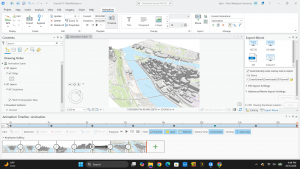
This chapter introduces 3D GIS visualization and lidar point cloud analysis. 3D GIS expands traditional 2D map analysis by incorporating height and elevation values (Z values), allowing users to view, measure, and analyze realistic 3D building structures, urban landscapes, terrain models, and spatial visibility. Lidar (Light Detection and Ranging) technology uses laser sensors mounted on aircraft or terrestrial scanners to collect dense point clouds containing millions of 3D points that represent ground surfaces, vegetation canopy heights, and building structures. The chapter covers converting 2D maps into 3D scenes, filtering and displaying LAS point cloud datasets, extruding 2D building footprints into 3D models, and executing spatial visibility analysis.

Tutorial: for this chapter, it shows how to:

  • Navigate and create 3D scenes
    • Convert 2D maps into 3D Local and Global Scenes
    • Navigate 3D scene environments using camera controls and elevation surfaces
  • Work with lidar and LAS datasets
    • Add LAS point cloud datasets to a 3D scene
    • Filter LAS datasets by elevation, return intensity, and classification codes
    • Create Digital Elevation Models (DEM) and Digital Surface Models (DSM) from LAS datasets
  • Build 3D urban features and spatial analysis
    • Extrude 2D building polygons using height attribute fields
    • Apply multipatch 3D symbology and textures to building models
    • Conduct Line of Sight and Viewshed analysis in 3D space

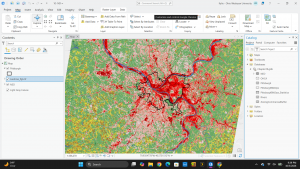
This chapter was very interesting in showing another way to visually display the data using 3D scenes