Isaacs Week 2

In chapter 1 I struggled a little bit finding where everything was including the files I had to download. I eventually figured out where they were and what I had to do. After that it was pretty smooth sailing there was a couple spots that I got stuck and had to look up where to go or retrace my steps. Overall, I thought it was cool to navigate through and learn where things were located at. 

Chapter 2 was more complicated and took longer to work through. It was still interesting to read about the different possibilities with using this program. I thought the geocode part was cool since I am a Data Analytics major and have taken some computer science. It was cool to see the simple code and how it performs in making things like maps. I also liked how the layers worked and how everything you do doesn’t have to be made by you. There are already made to use layers built in to make things quicker. 

An application that would be interesting based off these chapters would be making a map for fishing. I could have different spots for fishing with conditions or basic things about the area or maybe what species of fish it carries. 

Mason Week 2

Chapter 1: 

I find it interesting that the first GIS application was made in the 1960s, since I’m so familiar with it being such a technologically advanced application. It’s hard to picture it as anything other than the computerized web application that it is, which makes it intriguing to imagine it starting out as a singular computer database. This chapter did a good job of highlighting the benefits of ArcGis Online’s existence, particularly the increase in accessibility and collection of data from multiple mapping resources. It also seems to aid in the up to date nature of data, as there is a continuous inflow of data being inputted by various different studies. I thought it was nice to have a refresher on the basics of map creation, as many features are similar to desktop gis. Through the tutorial that chapter 1 had me run through, I am already recognizing the immense convenience of being able to create maps on a more mobile device rather than a PC. I would even argue that the formatting of the map curation in web format is much more user friendly and easy to navigate. 

Chapter 2: 

I find the distinction between hosted and non-hosted layers quite interesting, as it highlights the different ways the data from maps can be used. From what I gathered, hosted layers seem to be layers in which the data is all existing within the published layer, managed by ArcGIS and ready for other users to access, while non-hosted layers are published layers in which the data is managed by a user. There is a feature called smart mapping which I like the idea of, as it makes my job easier in this class. It is a user base that essentially aids in creating professional grade map visualizations without the need for expert cartography background knowledge. It can be in a range of styles and forms, such as dot mapping, heat mapping, vector field, etc. I found it interesting that there were so many strong similarities between web and desktop GIS, as many of the features being described in the chapter were aspects I was familiarized with when working with the desktop application, with one of these features being popups. I was not surprised to see storymaps mentioned, as it is an important aspect of GIS that helps share the visualizations you make. The storymaps were actually the first feature of ArcGIS that I had been introduced to while in another class. The tutorial that the chapter ends with was pretty easy to get through, using demonstrations revolving around population data as well as creating a story map. So far this formatting of GIS chapters has been much more manageable. 

Applications: 

I am heavily interested in Entomology, so I figured that I could gather data on Chinese mantids or lanternflies, as I find that those would yield some pretty interesting and valuable information to explore in spatial mapping. I could use some type of regional map, maybe limited to an area known to have one of the listed invasive species, and create a simple dot density map to display the data. Another interesting topic to look into would be Emerald ash borer sighting data and ash tree distribution, to look at the degrees of severity in different areas. I could even get more creative with the creation of that map because it would have multiple different features included. 

Fry- Week 2

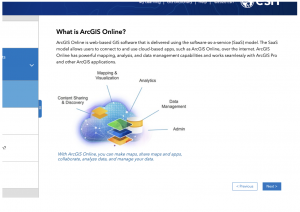
Chapter one introduces ArcGIS Online as an affordable and communal GIS resource that is good for both community sharing and private use cases. ArcGIS Online is an easy to learn, easy-to-use, and easy-to-maintain site that allows public access to GIS tools and programs. The author describes GIS as a tool with a large variety of applications, including government resources, businesses, scientific data, scientific research, and uses for daily life or travelers. ArcGIS Online is run by ArcGIS Enterprise, which has four components for different use cases and steps in processes. These are Portal for ArcGIS, ArcGIS Server, ArcGIS Data Store, and ArcGIS Web Adaptor. Each of these components allows for the creation and sharing of ArcGIS Online materials. This chapter also goes through some of the simple functions that ArcGIS shares on its website and were included in last week’s tutorial, such as layering, sharing features, and basemaps. A lot of the information in the tutorials of chapter one is the same as the information we gathered in last week’s tutorial.

Chapter two covers the importance of layers and the different kinds of layers utilized in ArcGIS Online services. Smart mapping, or the idea that a map should be visually proper and in the correct format for the data’s intention, is also covered in this chapter. It shows us many examples of different mapping formats and their use cases, such as pinpoint locations or gradient style maps, which can be used for displaying all the cafes of an area or the area’s predicted temperature, respectively. Labels and pop-up information are also important parts of ArcGIS online, allowing more information about a specific point to be shown when desired, as opposed to constantly obscuring the rest of the map’s data. Chapter two also goes into the importance of storytelling and how data should be displayed in the manner most appropriate to its intended audience.

Obenauf Week 2

Chapter 1- Web GIS uses web technologies to make GIS more accessible globally. First developed in the 1960s, GIS has evolved from a local file-based, single-computer system to a central database client/server system. Web GIS offers many advantages such as global reach, large number of users, low cost per user, cross-platform abilities, easy to use and maintain. The common patterns of Web GIS applications include mapping and visualization, data management, field mobility, monitoring, analytics, design and planning, decision support, constituent engagement, sharing, and collaboration. More and more organizations are adopting ArcGIS Online or a hybrid model with ArcGIS Enterprise. 

Chapter 2- Web layers are important because they are the building blocks of web apps which are important because they are the faces of Web GIS. This chapter discussed d=feature layers and how you can style them using smart mapping. Web layers are essentially web services that can be reused in many web maps, scenes, and maps. You should style your layers so that you can deliver the intended messages and your users can discover hidden patterns. Smart mapping enables users to visually analyze, create, and share professional-quality maps easily and quickly with minimal cartographic or software skills. 

Web layers and smart mapping enables urban planners to create 3D simulations of real world scenarios. Tools like ArcGIS Urban create 3D models to simulate zoning changes, visualize population growth, and assess housing needs. 


Frary Week 2

GTKWGIS Chapter 1

Understandably so, this first chapter gives an introduction to what GIS is. There is a LOT in this chapter. I feel like they should have either divided this information into different chapters or maybe just simplified some of the concepts, as it is almost too much information to take in. Also included with the introduction is an overview of Web GIS and some advantages. Next, the ArcGIS Web GIS platform is specifically introduced. We get some history behind how Web GIS technology has evolved over the years and an explanation of basic content types and user levels in ArcGIS software. Regarding tech evolution, I was surprised to learn about mobile GIS. Even with phones being so powerful, it seems like maps would be difficult to navigate on such a small device. A demonstration follows of how to create Web GIS apps using a Story Map Tour template. It’s very helpful to have templates that are easy to use, and help produce web apps that are just as easy to use. At the very end of the chapter, they present a tutorial on how to create a Web GIS app using ArcGIS Online that focuses on points of interest in the City of Redlands, California.

GTKWGIS Chapter 2

Zeroing in on material, this chapter focuses on ArcGIS configurable apps. I learned that apps labeled as “configurable” mean they are very user friendly and people can create them with no previous development skills. This allows for a bigger and less exclusive community so that anyone can get involved! Using software such as ArcGIS Online, Portal for ArcGIS, Esri Story Maps, and ArcGIS Solutions are mentioned, which are all configurable apps provided by ArcGIS. Before getting into the meat of the aforementioned configurable apps, the chapter provides a three step process (choose, configure, deploy) to illustrate what using a configurable app looks like. From what I can see, it looks like quite a simple process! Each app like ArcGIS Online and Esri Story Maps gets its own section to display its uses and possibilities. Similar to the end of Chapter 1, this chapter ends in a tutorial as well. I wonder if this will be a theme throughout the textbook. This tutorial teaches the reader to create an app showcasing spatial patterns of population growth in the US and then share your conclusions with the public via Story Maps.

Potential Future Applications

I am currently taking ornithology, which includes labs centered  around identifying and logging bird species. Using similar methods from these chapters, and with my data collected, I could put this data into a local/regional map and create an interactive map that allows me to pinpoint where I saw the species and add these locations to a fuller species range for tracking purposes. I could maybe encourage people to do the same either on my own app or ask people to send me their data. I’m sure researchers already use WebGIS for conservation/migration tracking work!

Ogrodowski Week 2

Chapter 1: Get Started with Web GIS

This chapter served as a basic introduction to working with 2D maps on ArcGIS Online, as well as making Instant Apps. A lot of the techniques were very similar to those used in the desktop version, like attribute tables, field views, and feature symbology. As someone who is more used to web apps as opposed to desktop (for example, the Google workspace over Microsoft Office apps), I found ArcGIS Online and the Instant Apps site to be a little bit more intuitive than the ArcGIS on desktop, but maybe this is just because I have experience with ArcGIS now. However, I did notice that the web app feels a little cramped with the presence of more menus that use larger text, and I preferred the general layout of the desktop version. Additionally, a few aspects of the Chapter 1 Tutorial did not exactly align with the ArcGIS Online interface, but I didn’t have too much trouble adjusting.

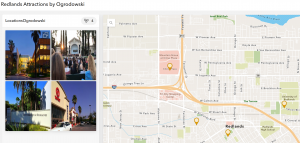
Figure 1: Redlands Attractions Map.

Chapter 2: Smart Mapping and Storytelling with GIS

I’m not sure if this feature was included on ArcGIS Pro, but the Smart Mapping feature discussed in this chapter seems to, at the very least, present difficult mapping methods more clearly. I think it is interesting (and probably helpful) that ArcGIS has its own coding language, Arcade. Learning so many coding languages can be difficult, but I am sure that there will be input menus (like those in ArcGIS Pro) linked to the code to make any necessary “coding” really easy for beginners. Also, the ArcGIS Living Atlas of the World seems like a LIFESAVER. Having a huge database of hosted layers eliminates a lot of initial data collection, which would probably have a tendency to be frustrating and discouraging as an early step in a GIS project. It also emphasizes the science behind GIS and its collaborative nature, which I find cool.

One of the most interesting facets of GIS is the almost psychological nature. In order for maps to be effective, they have to be physically appealing and aesthetically organized. StoryMaps, for example, are best received when they are fast, easy, and fun to use. I find the concept of StoryMaps super clever and effective. The actual maps themselves are just one of multiple important components: according to this chapter, adding a narrative and multimedia contributes to the overall story as well.

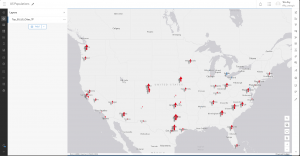
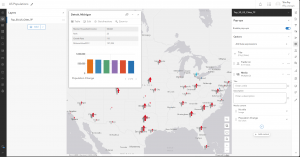
In Tutorial 2.2, we make a map of the 50 most populous US cities, which are shown by graduated symbols. It appears that New York City and Los Angeles are the two biggest cities in the US, which is consistent with the data in the Excel spreadsheet. After changing the map to have ratios of population change from 2010 to 2020, it appears that the fastest-growing cities in the US are Seattle, Washington, and Fort Worth, Texas. Thankfully, this chapter wasn’t too difficult, as we used ArcGIS StoryMaps in GEOG 291 as well.

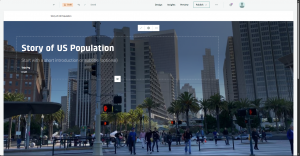
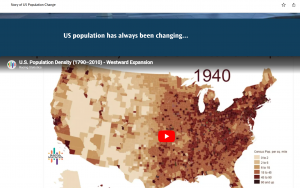
Figure 2: A video on US population growth and change that I added to my StoryMap.

Potential Future Applications:

Similar to the Chapter 1 reading and tutorial, I could make a travel guide for my hometown with must-see or personal favorite places. I could even color-code the legend based on what purpose each location serves. More specifically, I could see myself marking all of the environmental and conservation-based organizations in my area and linking each location to a volunteer position webpage, hopefully encouraging community action or collaboration between organizations in my local area.

Deem week 2

Chapter 1:

Chapter 1 offers a brief history of WebGIS, including how it has evolved over the years from a program housed locally on stationary computers to a website that is far more accessible to a wide variety of devices. Similar to what we learned in GEOG 291, this chapter talks about how GIS online and computer services have revolutionized the world of mapping and have greatly improved the ways that geography and spatial information are shared. This revolution in mapping technology has provided a great deal of conveniences for people who need to use mapping in their everyday lives, which includes a large portion of the general population. For example, many of us use some sort of mapping software on our phones to get directions when we need to go somewhere, and we use other mapping software to find out where and when weather events will occur.


Chapter 2:

This chapter made it easier for me to understand the ways that webGIS  is similar and different from the ArcGIS software we used in GEOG 291. The similarities lie in concepts like feature layers  which are fundamental for both ArcGIS software and webGIS applications. The differences can be seen in features like the smart mapping tool, which automatically suggests ways that the map can be designed for greater visual appeal. Previously in GEOG 291, we had to design our maps through the symbology menu, which included manually picking out options for how we wanted data points to appear. This chapter also details a system called the ArcGIS Living Atlas, which is a compilation of many data sets which can be downloaded for use in individual projects.


Potential applications:

While I was reading these chapters I was thinking about how cool it would be if these maps could be utilized for the state parks and hiking trails  in Ohio. For instance, they could display information online such as trail conditions and hazards as reported by people who have hiked them earlier in the day. Also, information on campground site availability and campground events could prove to be a useful and interesting application of these ideas.

Gist-Week 2

Chapter 1 focuses on getting started with WebGIS and introduces the basic concepts and workflows. It explains that this system can integrate data and software to allow users to create and share the geographic information. One thing I found interesting is when it explained historically GIS was limited to desktop and could only be accessed by specialists. Now, WebGIS expanded the access to way more people to use through their own mobile devices. While WebGIS seems more accessible, I found it cool that now ArcGIS pro is used by many more people and students today. It also adds further into what we learned last week and explains how collaborative the web version is. It does this by allowing for data sharing in real time and sharing through your organization. By being more accessible and interactive, this is crucial for projects like environmental response, natural disaster response, and urban planning.

Chapter 2 goes through more of the structure and what makes up WebGIS. The tools they described were web maps, services, layers, and portals. The web maps allow users to both visualize and interact with the spatial data provided. Layers are structured to organize different information including roads and weather. And finally, web services are created to deliver data for people to use without using specialized software. This is very similar to the previous desktop GIS, in the sense of how customizable each step is within the system.

One project that could be done using the information in these chapters is creating an Ohio Wesleyan campus safety map. The layers needed for this would include residential and academic buildings, parking lots, sidewalks or paths, and roads that run through campus. The web services would provide real time updates which could include any alert needed, closures, and could be as simple as marking which sidewalks are dangerous during the winter months. To get more in depth, the web services could dive deeper and include weather updates and alerts, reminding students to bring umbrellas or coats to class if needed. From this chapter, this project focuses on the collaboration portion, of allowing the information to be accessible and updated to all students on campus. It also highlights using real time data through the spatial data that is a big portion of WebGIS.

Payne Week 1

Payne Week 1 

Hello my name is Jack Payne and I am a senior here at OWU, I also took GEOG 291. 

I have access to ARCGIS online from 291 

Under My Esri I found articles under the infrastructure tab about various uses of the site and upcoming events and what not in those areas. Under my settings I found and area where you can change your units between standard and metric. 

Working through the introduction to ARCGIS online I found the map viewer section and read through it which reminded me of the little bit of work we did with it during GEOG 291. While clicking through the other side tabs I found it interesting how many interactive options there are in ARCGIS online and how many coding options there are, which I did not entirely understand as I have never coded before, but it was still interesting to rear through. 

Doing the Online basics training I learned about how to share maps depending on who your audience is going to be and I also found out about 2D and 3D visualization tools for these maps. I found it surprisingly simple to navigate through this course and the map creation segment. 

Koob Week 2

GTKWGIS Chapters 1 & 2

Chapter 1

This chapter reviewed the basic concepts of Web GIS and ESRI, its importance and the building blocks to it.

Web GIS is a combination of the web and geographic information systems. Since the first GIS was developed in the 1960s, it has evolved from a local file-based computer system to multiple servers. The web offers global reach using web technologies such as JavaScript, Web Graphics Library, Websocket, etc.  It also serves a significant purpose in our society, particularly in areas such as our government, businesses, scientific advancements, and daily life.

There are multiple patterns of Web GIS applications, such as: Mapping and visualization, data management, field mobility, monitoring, analytics, designs and planning, decision support, constituent engagement, sharing, and collaboration.

Web GIS is able to perform its capabilities thanks to ArcGIS Online and ArcGIS Enterprise, acting as software that the web can use from its multitude of hosts and platforms. These represent the new-generation of Web GIS, where users can search, discover, and use the layers, maps, and apps on desktops, in web browsers, and on mobile devices anywhere, anytime. Web GIS also provides the privilege to create and join groups, share content items containing data, and content items that have indexed metadata, as well as the option f keep their information private.

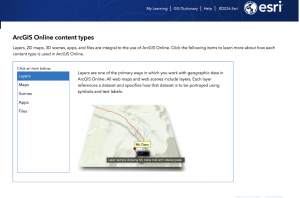
There are 5 types of content items: data, layers, tools, web maps + scenes, and apps. Data can be used to publish web layers; web layers can be used to create web maps and web scenes; web maps and scenes, and web tools can be used in apps or to create apps. Apps are what bring Web GIS to life. Bundles of apps are organized by ArcGIS to make it easier for the user.

Basemaps + Operational Layers + Tools = Web GIS map

I learned how to use these components back in GEOG 291 as well. Basemap layers are essentially the context for the app, a 2D or 3D background. Operational layers are simply interactive theme layers; they have a large range of uses. Tools are what perform the tasks beyond the initial mapping, like routing or geocoding. The tutorials in this book teach readers how to build Web GIS apps. One is Attachment Viewer- an instant app template to build an app. It has three main sections: map pane, attachment pane, and feature pop-up pane.

Tutorial 1: Introduces the main attractions in Redlands, California. This tutorial was very tedious, but it taught me a lot about the basics and mechanics of making an app. At times, the tutorial didn’t exactly line up with the app, so I had to guess through a lot, but it was overall fulfilling to see it up and running afterwards! https://owugis.maps.arcgis.com/apps/instant/attachmentviewer/index.html?appid=295da18970b44b6ba2b9d2aed5e6b194

Chapter 2

This chapter goes over smart mapping and storytelling with GIS. It explains web layers and how they are the building blocks of web apps. It also explains feature layers, being web services you can reuse in web maps, scenes, and apps. These will definitely be important to remember for any future projects. Hosted feature layers organize layers of data in ArcGIS- good for visualizing data on top of editing. There are many forms of hosted layers. The chapter also explains how to make your own feature layer from your own data, from an existing template, or even an empty feature, to have full control over each field. Moving on to smart mapping, intelligent defaults are used to allow for various results. It analyzes your data quickly in many ways, suggesting the right defaults when you add layers and change symbolizing fields (for example, a smart map using symbol color and size to show one or two numeric fields).

Storytelling using WebGIS, the experience a user has is extremely important and depends on factors such as how fast, easy, and fun an app is. (“dont make me wait” or “dont make me think about what button to click”).  Another part ot storytelling with Web GIS is the 5 Ws: who, what, when, where, and why.  Where is about location, when is about time, and what is about theme.

Maps + Narrative + Multimedia = Story

Tutorial 2 went much smoother for me, especially thanks to tutorial 1. It showed me how to create a Web GIS app that has spatial patterns of US population change, explore the reasons behind the patterns, and share what Ifound with the public using an ArcGIS StoryMaps story. I had no trouble making the feature layer as the geocoding wasnt super new to me. My favorite part was stylizing my layer  as the smart mapping was easy to follow. There was a point where I had to use Arcade, which confused me, it was to make pop-ups but I got lost at some points.  I also appreciated the questions and answers at the end, I used those a lot to fact-check myself.