Downing Week 1

My name is McKenna Downing, and I am a Zoology major/ENVS minor graduating this MAY! I am on the track and cross country teams as well. I have taken the first module of this course (GEOG 291), and found it enjoyable, so I am excited for this module too. I have completed GEOG 291, and therefore I’ve completed the reading of the course blog and activating my WordPress account. I have also completed the quiz and the necessary actions for this week!

One thing I noticed about the ArcGIS Online website was that there are examples of maps from previous years, including data about trees, wifi, censuses, and floods. I think that’ll be helpful in the future. Another thing I noticed was that the website as a whole should be easy to navigate. It already seems to be a lot less tedious and confusing than GEOG 291 was!

I read through the different sections of Get Started: What is ArcGIS Online and found some cool stuff! The first main thing I went through was the “Work with maps” section, as I thought that would be the most helpful. I found that it seems to be similar to the ArcGIS Pro from GEOG 291, especially with the Settings and the Content panes on either side of the map. I also found that there are keyboard shortcuts which are neat! The second thing I found helpful was the “Work with content and data” section; which again I thought would be the most useful. I found that I can manipulate data to make it visible to others, which is something we could not do in GEOG 291. This would be super helpful if I were to need help or advice on a project!

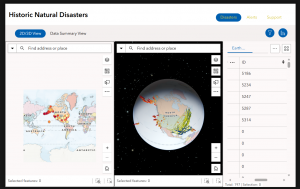
While completing the training for this course, I was able to notice two things that were the most helpful. The first thing was how to change the controls to edit who can view your work and data; which could be anything from private, group, organization, or public. I thought that was neat. The second thing I found helpful were the activities to do the maps. The one I screenshotted was thorough and answered any questions I had about it. The website seems user friendly and easy to navigate, and I was able to learn more from the training. I attached a screenshot of the map below. I could not get my certificate to show up, so I screenshotted the part of the website that said “Completed”. 

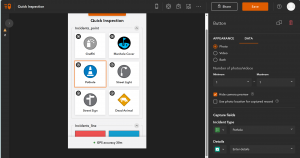
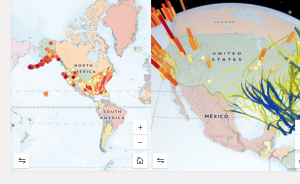
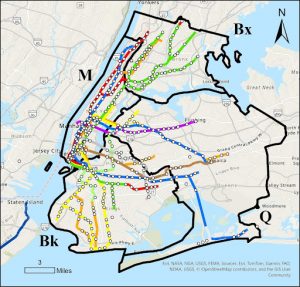
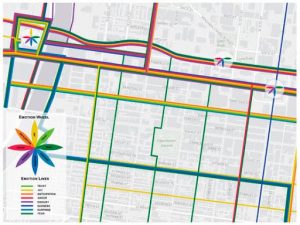
  1. “A Customization of the Arc Marine Data Model to Support Whale Tracking via Satellite Telemetry” – this involved changing the code of the ArcOnline system in order to track marine mammals, and the authors focused on whales. The model that they are creating is called Arc Marine, and when trackers were placed on whales, they were able to track the whales’ movement across the ocean, and know how to edit the format of the website to accommodate that. I have two screenshots for this paper. 
    1. Lord-Castillo, B.K., Mate, B.R., Wright, D.J. and Follett, T. (2009), A Customization of the Arc Marine Data Model to Support Whale Tracking via Satellite Telemetry. Transactions in GIS, 13: 63-83. https://doi.org/10.1111/j.1467-9671.2009.01159.x

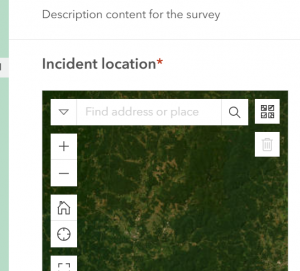
  1. “Using ArcGIS as a Conservation Tool for Wedge-tailed Shearwaters (Ardenna pacifica) on O‘ahu, Hawai‘i” – this study involved using ArcOnline to create a web map of the breeding grounds of the wedge-tailed shearwater on the island of O’ahu. The authors created a public map using the website and used it for educational purposes, as the shearwaters have seen a decrease in their population. I have one screenshot for this paper.
    1. Written by: Jennifer Urmston, M.S., Hawai‘i Pacific. Universityhttps://hiaudubon.org/wp-content/uploads/2021/12/Elepaio81.5.pdf

Gist – Week 1

Hello, my name is Reghan Gist! I am a first year majoring in Environmental Science, and am planning to add Zoology as well. I run both cross country and track here at Ohio Wesleyan. This is my second GIS course, I took the Desktop class earlier this semester.

I completed the quiz, and took Geog 291, so I did not schedule an appointment for weeks 2 and 3. I also already have access to my OWU ArcGIS online account from earlier this semester!

After looking around at my profile once I logged in there were a few notable findings. The first one is that in My Esri you are able to add the organizations you work with and both store payments and purchases. The second thing I found was located in Resources and Support and had training and videos that allow you to sign up for different types of courses that teach you how GIS works. This would be helpful for if you were not learning GIS through a class, and instead were expected to figure it out on your own.

The next activity of this week was reading through Get Started: What Is ArcGIS Online. The first thing I noticed was how it is different from WebGIS. The first difference I noticed was that you can add collaborators and share content with people outside your organization. Another difference that I noticed was that WebGIS allows you to collect data and monitor projects, supporting field activities. Through synchronization you can be offline and still see the latest update to the project which is a very convenient feature!

Next, I completed the ArcGIS Online Basics course. The first comment I have after this course was that the app section was confusing but a really interesting tool. The second comment I have was this is much easier to navigate and use than the desktop version earlier this semester. Pictured below is my certificate of completion alongside my example map that the course had you create.

The final activity of this week was to use both Google and Google Scholar to find two examples of ArcOnline for projects.

1. Mapping Arcadia

https://www.proquest.com/docview/3105916469/abstract/B4E12BF5984E4987PQ/1?accountid=40547&sourcetype=Dissertations%20&%20Theses

This first article explained the benefit that community gardens have on certain communities. They explained how it is important to have clear ways to find suitable sites for the gardens to be grown. This study continues to explain by using public parcels you can find potential community garden sites. This idea is super interesting and could be relevant to many communities looking to improve their local biodiversity.

2. Sea Turtle Tracking App

https://www.esri.com/about/newsroom/arcnews/tourists-become-citizen-scientists-with-sea-turtle-tracking-app

This second example I found on Google and was located through Esri. This example was a researcher who built an app that tracks sea turtles called TURT. This app allows tourists, scuba divers, and snorkelers to upload different photos and information on sea turtle sightings. This allows them to add information including the area, weather, date and time to the sighting. The information is then used by conservationists to analyze trends to observe the lives of multiple sea turtle species. What interested me about this project was how it was aimed for the public to have fun to use, and then can be analyzed by scientists later. I love sea turtles and would be super interested to download the app next time I go on a trip! Included below is the image provided of what the app looks like.