Hess – Week 5

Chapter 4:

In Chapter 4, we learned about databases in general but also about working with spatial databases. A database serves as a container for the data of an organization, project, or other endeavor, such as record keeping, decision-making, analysis, and research. We also studied the file geodatabase, which is ESRI’s simplified database format for storing geospatial data. Although geodatabases have a straightforward structure, they are powerful spatial data containers that allow data tables to be related and joined for more effective data management and analysis.
Chapter 5:

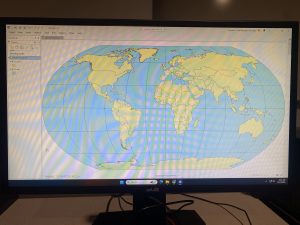
In Chapter 5, we began by learning about world map projections. We explored how geographic coordinate systems use latitude and longitude to identify locations on Earth’s surface, while projected coordinate systems apply mathematical transformations to project the curved surface of the Earth onto a flat surface. Next we gained experience using map projections commonly applied to the United States, learning that projections can preserve either shapes and angles or area, but not both at the same time. After that we learned how to set projected coordinate systems, and discovered that for medium and large size scale maps, it is best to use localized projected coordinate systems designed for a specific area to minimize distortion. We then worked with vector data formats, reviewing common file types used for vector spatial data as well as geodatabases, which we had previously done. Finally we learned how to download geospatial data for use in mapping and analysis.
Chapter 6:

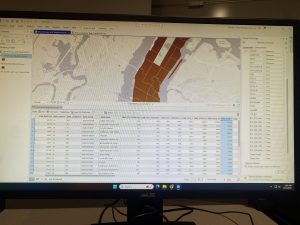
In chapter 6, we learned that geoprocessing is a framework and a collection of tools used to process geographic data. Geoprocessing tools are essential for building study areas within GIS and performing various analytical tasks. In this chapter, we practiced how to extract subsets of spatial features from a map using both attribute and spatial queries. We also learned how to aggregate polygons into larger polygons, append multiple layers to form a single unified layer, and use tools such as intersect, Union, and Tabulate Intersection to combine features and attribute tables for geoprocessing and spatial analysis.
Delaware Data Inventory:

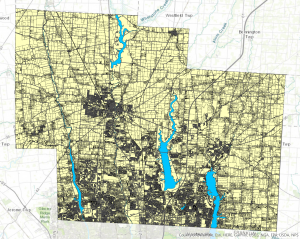
PLSS: All of the public land survey system polygons in both the US Military and the Virginia Military Survey Districts of Delaware County

Township: All 19 townships in Delaware County

Dedicated ROW: All right of way lines in Delaware County

Precincts: All voting precincts in Delaware County

Delaware County E911 Data: All addresses in Delaware County

Building Outline 2021: Building outlines for all structures in Delaware County in 2021

Original Townships: Original townships in Delaware County

Map Sheet: All map sheets in Delaware County

Farm Lot: All farm lots in the US Military and Virginia Military survey districts in Delaware county

Annexation: All Annexations and conforming boundaries, 1853 – now in Delaware County

Survey: Survey points that represent land surveys in Delaware County

Tax District: All tax districts in Delaware County

Hydrology: All major waterways in Delaware County

GPS: All GPS monuments from 1991 and 1997

Zip Code: All the zip codes in Delaware County

School District: All the school districts in Delaware County

Building Outline 2023: All the building outlines in Delaware County

Street Centerlines: The Center of Pavement of roads in Delaware County

Address Points: All the Addresses in Delaware County

Parcel: All of the cadastral parcel lines in Delaware County

Condo: All of the condos in Delaware County

Subdivision: All of the subdivisions and condos in Delaware County

Record Documents: All points of recorded documents in Delaware County
Stratton- Week 6

Chapter 7-

In this chapter I learned how to move, rotate, and add and move vertex points of a polygon, as well as adding polygons. When adding the polygons in 7-2, I had trouble finding the coordinate system the book wanted me to use, I scrolled through all of them for like 20 minutes until I finally found it. The rest of the chapter taught me how to smooth the polygons and make the polygons more intricate and detailed.


Chapter 8-

This chapter works with zip codes, and  collect events. The second tutorial is this chapter taught me how to build a street locator and geocodes.


Chapter 9-

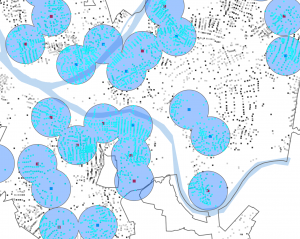
This chapter I learned how to use the Pairwise buffer tool to create buffers around features, as well as finding the sum of features. I also learned how to create a multiple ring buffer and stats related to the features within the buffers, and also creating a gravity model.


Hess – Week 4

Chapter 1:

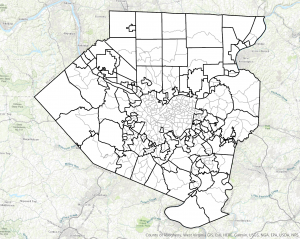
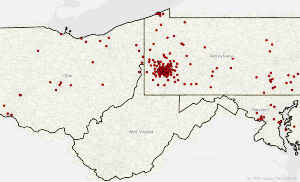
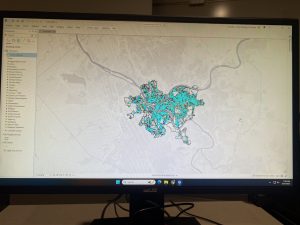
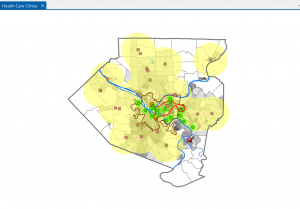
Chapter one introduced us to an essential component of our course, ArcGIS Pro, by allowing us to begin a tutorial and apply the concepts we’ve been reading about. In this chapter, we worked with a completed map in ArcGIS Pro showing the locations of urgent health care clinics in Allegheny County, Pennsylvania. We began by reviewing key terms and exploring the basic elements of the map, such as the different layers. Next, we learned how to navigate the map effectively, examined its attribute data, and concluded by being introduced to map symbology, which helps visually represent different types of information.

Chapter 2:

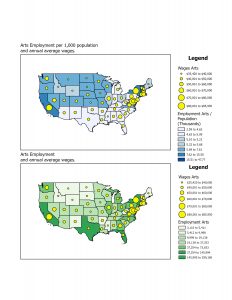
In chapter 2, we learned how to design and symbolize thematic maps. A thematic map is created to investigate or solve a specific problem. These maps include one or more subject layers that are placed in spatial context with other supporting layers. The subjects of the thematic maps are most often vector layers, as they typically contain rich quantitative and qualitative data attribute data that are essential for analysis. However, rest layers can also be used. The spatial context layers may be either raster or vector and often include various basemap layers provided by ESRI.

Chapter 3:

Chapter 3 was focused on sharing maps with people who either don’t have access to ArcGIS Pro, or have limited GIS skills beyond basic map navigation and interpretation. In the first tutorial, we created a map layout containing two maps, which helped us develop the skills needed to design any type of layout with one or more maps. In section 2, we learned how to share ArcGIS Pro maps by publishing them to ArcGIS Map Viewer. Next, we explored how to create a story using ArcGIS StoryMaps, and we concluded the chapter by building a dashboard in ArcGIS Dashboards


Stratton- Week 5

Chapter 4-

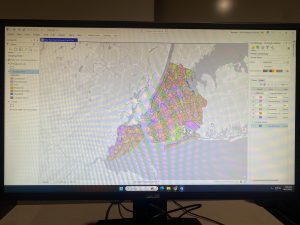
This chapter I started to have a really fun issue, where I couldn’t run ArcGIS Pro on my desktop directly. It would continuously try to have me redownload it, so the only way I could open the software was through the tutorial files. So in order to complete tutorial 4-1 and 4-2, I had to open tutorial 4-3, and access the “create new project” option through there. I was confused on the shapefiles in 4-1, because they would keep disappearing when I added a new one, but then I learned you had to click open a new tool to save it. I also had trouble in 4-2 with deleting rows in the tables. I had to select them all individually and delete them instead of holding ctrl like the book suggests.  I kept getting error messages while trying to calculate the PercentPopYouth20 field, so I ended up skipping that part of the tutorial because it was frustrating me.

Chapter 5-

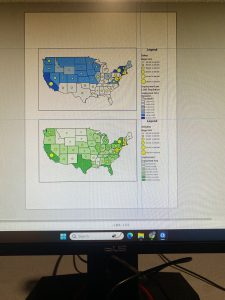
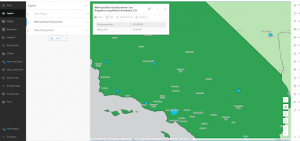
In this chapter, the first tutorials were simple, just teaching me different projections of the maps.  On the third tutorial everything went fine, until i went to change the coordinate systems to what the book instructed and it wasn’t there so I ended up skipping the California map.


Chapter 6-

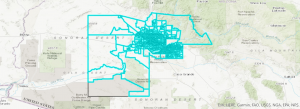
In this chapter I learned how to use the pairwise dissolve tool to create neighborhoods.  Then I learned how to isolate different study areas using different “select by” tools. I also learned how to merge separate features using the “merge” tool, as well as adding features using the “append” tool. This chapter went very smoothly for me.

\

Fox-Week 7

Delaware Data Inventory:

Zip Code: All the zip codes in Delaware County

School District: All the school districts in Delaware County
Building Outline 2023: All the building outlines in Delaware in 2023

Street Centerlines: The center of pavement of roads in Delaware County
Address Points: All the addresses in Delaware County
Parcel: All of the cadastral parcel lines in Delaware County
Condo: All of the condos in Delaware County
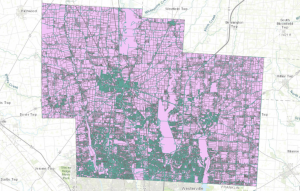
Subdivision: All subdivisions and condos in Delaware County

Recorded Documents: All points of recorded documents in Delaware County, such as surveys and annexations

PLSS:  All the public land survey system polygons in both the US Military and the Virginia Military Survey Districts of Delaware County

Township: All 19 townships in Delaware County

Dedicated ROW: All right of way lines in Delaware County

Precincts: All voting precincts in Delaware County

Delaware County E911 Data: All addresses in Delaware County

Building Outline 2021: Building outlines for all structures in Delaware County in 2021

Original Townships: Original townships in Delaware County 

Map Sheet: All map sheets in Delaware County

Farm Lot: All farm lots in US military and Virginia Military survey districts in Delaware County

Annexation: All annexations and conforming boundaries, 1853 – now in Delaware County

Survey: Survey points that represent land surveys in Delaware County

Tax District: All tax districts in Delaware County

Hydrology: All major waterways in Delaware County

GPS: All GPS monuments from 1991 and 1997

Stratton- Week 7

Zip Code: All the zip codes in Delaware County, updated monthly. 

School District: All the school districts in Delaware County.

Building Outline 2023: All the building outlines in Delaware in 2023.

Street Centerlines: The center of pavement of roads in Delaware County.

Address Points: All the addresses in Delaware County. 

Parcel: All of the cadastral parcel lines in Delaware County.

Condo: All of the condominiums in Delaware County.

Subdivision: All subdivisions and condos in Delaware County, updated daily and published monthly. 

Recorded Document: All points of recorded documents in Delaware County, such as surveys and annexations. 

PLSS:  All the Public Land Survey System polygons in both the US Military and the Virginia Military Survey Districts of Delaware County.

Township: All 19 Townships in Delaware County. 

Dedicated ROW: All designated Right of Way lines in Delaware County.

Precincts: All voting precincts in Delaware County. 

Delaware County E911 Data: All certified addresses in Delaware County. 

Building Outline 2021: Building outlines for all structures in Delaware County in 2021.

Original township: Original townships in Delaware County before the tax districts changed the shapes.

Map Sheet: All map sheets in Delaware County.

Farm Lot: All farm lots in US military and Virginia Military survey districts in Delaware County.

Annexation: All annexations and conforming boundaries 1853-now in Delaware County. 

Survey: Survey points that represent land surveys in Delaware County. 

Tax District: All tax districts in Delaware County.

Hydrology: All major waterways in Delaware County. 

GPS: All GPS monuments from 1991 and 1997. 


Saeler Week 6

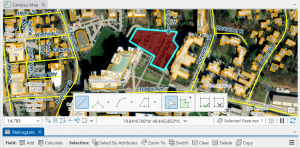
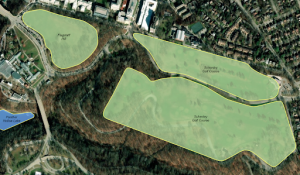
Chapter 7 this chapter introduced a few tools for manual digitization by tracing. By using base maps we learned how to create new feature classes and use base maps or existing layers for digitizing features. we also used lidar as a reference for heads up digitizing. Next we edited existing features and created features for a university campus. We added new structures, additions, and renovations to existing buildings.


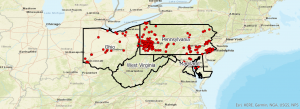
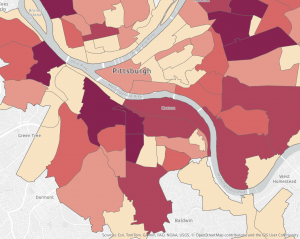
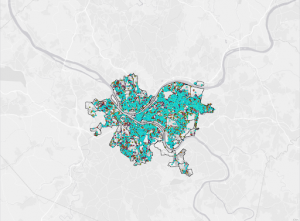
chapter 8- in section 1 of this tutorial we geocoded survey data collected by a Pittsburgh arts organization that holds and event each year. We used survey data if geocoded to look at potential marketing, philanthropy, and other forms of communication with its patrons. In section 2 we used the arts event data from section 1 to add street addresses and more detailed location data on attendees that would be desirable for the market. we also geocoded by street address to place unique points on the map for attendees.


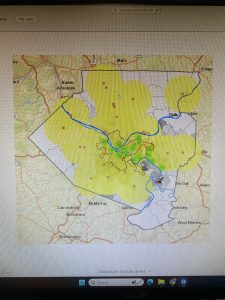
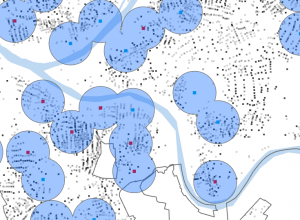
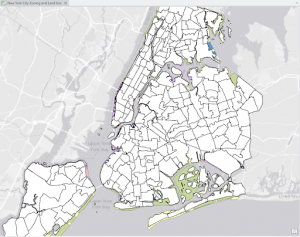
Chapter 9- we took a step beyond using visualization of spatial data to answer questions and solve problems. We covered four spatial analytical methods: buffers, service areas, facility location models, and clustering. This included building buffers and estimating gravity models nearest pool from their residences. This analysis suggested which public swimming pools to keep open during a budget crisis. We also used cluster analysis to investigate demographic and spatial patterns of arrested persons for serious violent crimes. This chapter also introduced the network dataset which is used for estimating travel distance or time on a street network.

Saeler Week 5

Chapter 4 we learned about working with spatial databases and databases in general. A database is a container for the data of an organization, project, or other undertaking for record keeping, decision making, analysis, or research. A file geodatabase is ESRI’s simplified database for storing geospatial data. Although geodatabases have a simple format, they are powerful spatial data containers and they allow data tables to be related and joined.


Chapter 5. Starting with working with world map projections. Geographic coordinate systems use latitude and longitude coordinates for locations on the surface of the Earth, whereas projected coordinate systems use a math transformation from an ellipsoid or a sphere to a flat surface. Next we gained experience with projections commonly used for maps of the continental US. You can either get accurate shapes and angles or areas but not both. After that setting projected coordinate systems came next. For medium and large scale maps use localized projected coordinate systems specifically tuned for a defined area to minimize distortion. Next, we worked with vector data formats which is essentially reviewing file formats commonly found for vector spatial data as well as geodatabases previously covered. Then we learned how to download geospatial data.


Chapter 6 geoprocessing is a framework and set of tools for processing geographic data. You must use geoprocessing tools to build study areas in a gis and perform tasks. We learned how to extract a subset of spatial features from a map using attribute or spatial queries; aggregate polygons into larger polygons; append layers to forma single layer; and use intersect, union, and tabulate intersection tools to combine features and attribute tables for geoprocessing.

Saeler Week 4

Chapter one familiarized us with a component of our class ArcGIS Pro by starting the tutorial and putting into action what we’ve been reading about. we worked with a finished map in ArcGIS pro that had locations of urgent health care clinics in Allegheny county, Pennsylvania. We started by reviewing key terms and going over the basics of the map such as the different layers. Then we learned how to navigate the map optimally. Then we reviewed attributes. and finished with being introduced to symbology on the maps


Chapter 2 we learned how to design and symbolize thematic maps. A thematic map strives to solve or investigate a problem. they consist of a subject layer or layers placed in spatial context with other layers. The subjects of thematic maps are commonly vector layers because such layers often have plentiful quantitative and qualitative attribute data that is essential for analysis. However you can of course use raster layers. Spatial context layers can be vector and theses layers can be in either raster or vector formats including many basemap layers provided by ESRI. I had to however had to skip over a section in chapter 2 section 4 because the attribute table was completely blank.


Chapter 3 the next chapter is about sharing the maps we just worked with people who don’t have access to ArcGIS pro or who do not have gis skills beyond basic map navigation. In the first tutorial we built a map layout with 2 maps this giving us a the skills to build any kind of layout with one or more maps. Section two we shared ArcGIS pro maps and published them in ArcGIS online as web maps and performing extra work on them using ArcGIS map viewer. next we learned about creating a story in ArcGIS story maps. we finished out with creating a dashboard in ArcGIS dashboards.