Chapter one’s tutorial was all about creating a web app on ArcGIS that compiled the work throughout this chapter. I began by creating a feature layer, then adding the fields and attributes, which I found to be the most challenging section of this tutorial. I then created the web map, adjusted the symbology and created the instant web map to finish out this tutorial. The purpose of doing this is that it allowed me to create a compacted source of data and information that anyone is able to view and is set in an understandable and easy to interpret format.
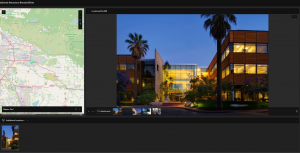
The second chapter dived deeper into using the various tools and features of ArcGIS, like creating a story. I began this tutorial by once again creating the feature layer using the downloaded chapter data from the textbook. After this, I configured the layer by adjusting the map to display arrows in cities’ locations as well as changed the color and middle divider. Following this step, I adjust the pop-ups by entering the given expression and changing the text. After this, I created the story, which was by far the most challenging section of this tutorial. Creating the story involved a lot of inserting web maps, various texts, adding map actions, and swipe blocks. Creating the story allowed me to compile all of this information and data into a very organized and easy collection.
Possible GIS Application
Tutorials two and one focused on how you can compile information, data, and maps into a public display that allows for an easy view of this compilation of information. I could see this being used in a real-world situation like if a service that needs to not only use maps for themselves but also share top others so they can be easily accessible and easy to interpret for others. An organization like the National Park Service requires specific and detailed maps to use for their own needs but also be able to disperse that information to the public so they can use it as well. Creating something like a story or web map app could help create a public composition of this information and maps and include descriptive text and information to help interpret the maps that are being presented.