Hi, my name is Jeyoung Son and I’m a senior at OWU. I am from South Korea. I’m double majoring in Data Analysis and Quantitative Economics. I did not take GEOG 291. I’ve studied with Python, R, and SQL before, so I’m comfortable with data. I’m taking this class to see how ArcGIS Online can fit with what I’m already studying.
Comments on Exploring My Esri Account:
The first thing I noticed was how many resources there are for beginners: training courses, tutorials, and help pages. Since I’ve never touched GIS before, the Help and Training tabs are probably where I’ll end up spending most of my time. Good to know they’re there. The sharing part caught my eye too. In group projects it’s always a mess when everyone has their own version of the data, so being able to work on one shared map sounds really convenient.
Comments on Reading (What Is ArcGIS Online?):
I didn’t know much about ArcGIS Online before this reading. From what I understood, it’s a cloud platform, so you can make maps, run analysis, and share everything from a web browser. No desktop software needed. I didn’t expect that, and it’s way easier than I imagined. That’s much more convenient than I expected. The part that stood out most to me was ArcGIS Notebooks. You can use Python in them to analyze geographic data and automate tasks. Python is the language I’m most comfortable with, so this is the feature I’m most excited to try.
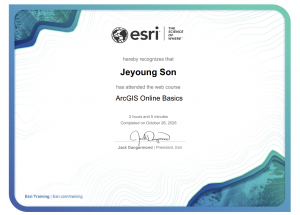
Comments on the ArcGIS Online Basics Training:
Since this was my first time using any GIS, the training was a good way to get familiar with how ArcGIS Online works. What I found most interesting was adding different data layers to a map. I’m used to looking at data in tables and graphs, so seeing the same kind of information on a map felt like a totally different way to look at it. I also learned how to share what you make with other people, which would be a nice way to present results from a data analysis project.
GIS Applications:
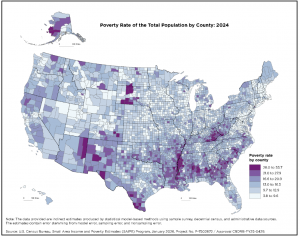
- Poverty and income mapping
The U.S. Census Bureau has maps that show poverty rates by state and county. Instead of scrolling through a spreadsheet, you can compare areas right away and see where the differences are. Because I’m studying Quantitative Economics, this one made the most sense to me. Economic data looks different when you can see where it actually is.
Source: U.S. Census Bureau, Small Area Income and Poverty Estimates
https://www.census.gov/programs-surveys/saipe/library/visualizations.html
- Population distribution mapping
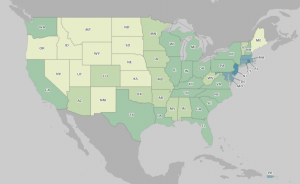
The Census Bureau also has interactive maps showing where people live. I can see this being useful for researchers who want to track how areas are changing, and for governments and businesses making decisions about things like transportation, housing, and public services. As a data analysis student, I thought it was cool how population numbers become much easier to understand once they’re on a map.
Source: U.S. Census Bureau, Interactive Maps
https://maps.geo.census.gov/ddmv/map.html
Final Thoughts:
Overall, this week was my first real introduction to GIS. I have a data analysis background, but working with geographic data is new for me. I’m looking forward to learning more and seeing how I can combine GIS with the data skills I already have.