Mitchell Chapter 4
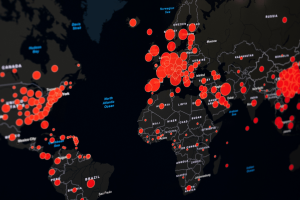
Mapping density shows where the highest concentration of features is. Density maps are most useful for looking at patterns and large collections of data. A density map lets you measure the number of features using a uniform aerial unit, such as hectares or square miles, so you can clearly see the distribution. Density maps are useful for mapping areas that vary in size, such as census tracts or counties. You can map the density of features or of feature values. You can create a density map based on features summarized by defined area or by creating a density surface. You can map density graphically, using a dot map, or calculate a density value for each area. To calculate a density value for each area, you divide the total number of features, or total value of the features, by the area of the polygon. A density surface is usually created in the GIS as a raster layer with each cell in the layer getting a density value. This approach provides the most detailed information but requires more effort. You can create a density surface from individual locations, or linear features.
To create a density surface, the GIS defines a neighborhood around each cell center. It totals the number of features that fall within that neighborhood and divides that number by the area of the neighborhood. The GIS does this for every cell and creates a running average of features per area. Several parameters that you specify affect how the GIS calculates the density surface, and thus what the patterns will look like. These include cell size, search radius, calculation method, and units. The cell size determines how coarse or fine the patterns will appear. The smaller the cell size, the smoother the surface. A larger cell size will process faster but will result in a coarser surface.
Mitchell Chapter 5
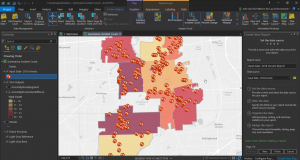
People map what’s inside an area to monitor what’s occurring inside it, or to compare several areas based on what’s inside each. By monitoring what’s going on in an area, people know whether to take action. Summarizing what’s inside each of several areas lets people compare areas to see where there’s more and less of something. To find what’s inside, you can draw an area boundary on top of the features, use an area boundary to select the features inside and list or summarize them, or combine the area boundary and features to create summary data. Finding what’s inside a single area, lets you monitor activity or summarize information about the area. Finding how much of something is inside each of several areas lets you compare the areas.
Discrete features are unique, identifiable features. You can list or count them or summarize a numeric attribute associated with them. They are either locations or discrete areas such as parcels. Continuous features represent seamless geographic phenomena, you can summarize the features for each area.
Drawing areas on top of features is a quick and easy way to see what’s inside. You create a map showing the boundary of the area and the features, you can then see which features are inside and outside the area. Selecting the features inside the area includes specifying the area and the layer containing the features, and the GIS selects a subset of the features inside the area. Another way is to overlay the areas and features. The GIS combines the area and the features to create a new layer with the attributes of both or compares the two layers to calculate summary statistics for each area. This approach is good for finding which features are in each of several areas or finding out how much of something is in one or more areas.
Mitchell Chapter 6
Using GIS, you can find out what’s occurring within a set distance of a feature and what’s within traveling range. Finding what’s within a set distance identifies the area affected by an event or activity. It also lets you monitor activity in the area. Traveling range is measured using distance, time, or cost. Finding what’s within the traveling range of a feature can help define the area served by a facility. Knowing what’s within traveling range can also help delineate areas that are suitable for, or capable of supporting, a specific use. To do this, you can measure straight-line distance, measure distance, or cost over a network. For some analyses, you have the option of calculating distance assuming the surface of the Earth is flat (planar method) or taking into account the curvature of the Earth (geodesic method). The planar method is appropriate when your area of interest is relatively small, the results of your analysis will appear as the correct shape when displayed on a flat map. Geodesic method should be used when your area of interest covers a large region.
Straight-line distance is the easiest way of finding out what’s nearby. With this, you specify the source feature and the distance, and the GIS finds the area or the surrounding features within the distance. This approach is good for creating a boundary or selecting features at a set distance around a source. With the distance or cost over a network approach, you specify the source locations and a distance or travel cost along each linear feature. The GIS finds which segments of the network are within the distance or cost. You can then use the area covered by these segments to find the surrounding features near each source. This approach is good for finding what’s within a travel distance or cost of a location over a fixed network. With the cost over a surface approach, you specify the location of the source features and a travel cost. The GIS creates a new layer showing the travel cost from each source feature. This approach is good for calculating overland travel cost.