Aslam Week 2

Chapter 1 

Chapter 1 helped me to better understand what GIS really is and what it’s supposed to do. I thought that GIS was pretty technical and computer-based, but I realized through reading Chapter 1 that GIS analysis really begins with thinking through a question. GIS is a system to store, manage, analyze, and display spatial data, but the value of GIS depends on how well the analyst frames the problem. The author, Mitchell, points to important concepts that include geographic features, attributes, and layers, and shows how they all contribute to answering a question. What I found interesting was that it’s not accidental or arbitrary to do a GIS analysis; you make a decision about what you want to find out and then use appropriate data to do it. I think I now see it as a process of reasoning rather than a technical process. I also appreciated that I could see how maps were used to make important decisions, including public policy, and that it really makes you think about your decisions, even small ones, that you make while working with your data. Reading this chapter really made me think about how important it is to be clear about what you want to do before you start to do it. It also made me realize the level of responsibility that comes with conducting GIS analysis, as the choices you make at the beginning can affect how other people will interpret a place or a pattern. It also made me ask questions such as: How do analysts ensure that they frame their questions correctly? How do they deal with incomplete data? How does uncertainty play a role when maps are being used to make decisions?

Chapter 2 

In Chapter 2, Mitchell discusses how before analyzing why something is happening, one should first understand where it is happening. He goes on to say that mapping locations is the first step in GIS analysis and helps one understand basic spatial patterns such as clustering, dispersion, and gaps. This may sound like a very basic concept, but as I read through this chapter and the rest of the book, I understand why this concept is important. Sometimes it can be difficult to understand patterns when using a table or list, but with a map, it can instantly become clear. Another important point that Mitchell makes is how scale affects a map. What may look significant at one scale may not look significant at another scale, and this shows how easy it is to come to a false conclusion when one does not think about scale. Another important point that was discussed in this chapter was how mapping involves making decisions about what to map and how to map it. This shows how mapping can sometimes be more interpretive than I initially thought. I found this to be interesting because sometimes when one looks at a map, it seems to be a very factual piece of work, but with this reading, I can see how it involves interpretation just as any other type of analysis does. This chapter has made me think about how mapping can sometimes mislead people unintentionally if one does not make these decisions carefully enough. Some questions that I had while reading this chapter were: What is the right way to go about choosing a scale when mapping? What is the right way to go about choosing a classification method to avoid misleading patterns? 

Chapter 3 

Chapter 3 introduces the reader to the importance of mapping quantities in providing more depth in the analysis, rather than just the location of the data. Mitchell introduces the reader to the difference between mapping totals and mapping ratios or density. It was clear that the importance of normalization cannot be overstated, especially when dealing with data that is not normalized. A larger area is likely to have higher totals despite the density being low. Another important aspect of mapping quantities that the author introduces is the different ways in which data is classified. I found the chapter interesting in that the author shows the reader that the choice of classification is likely to affect the general look of the map. Another important aspect that the author introduces is the issue of dealing with outliers. In some cases, the outlier is likely to distort the map if not handled with care. This reminded me that the importance of understanding the data cannot be overstated before mapping the data. The author also introduces the reader to the importance of density mapping in highlighting the data. In my view, this chapter reminded me that mapping quantities is a powerful tool that requires careful consideration in order to avoid misinterpretation. After going through this chapter, I had some questions in my mind. When is the use of totals more important compared to the use of ratios? How does one deal with the issue of outliers in classification? How does density mapping affect the interpretation of the data?

Aslam Week 1

My name is Kainaat Aslam, and I am a senior at Ohio Wesleyan University. I decided to take GEOG 291 to make myself more comfortable working with spatial data and to gain knowledge of how GIS is actually used in life. I have not really worked much with GIS before, and I am excited to see how mapping and visualization all come together. I like to travel, go out with my friends and explore different places of interest so learning more about geography tools actually feels pretty connected to my interests. I am working and going to school at the moment; hence, I like that this class is flexible and allows me to stay on top of my work with weekly due dates. I have also completed the GEOG 291 Quiz.

Schuurman Chapter 1 Response

In Chapter 1, I learned about the importance and widespread usage of GIS. I have come to realize that GIS is everywhere and that it influences almost every field of study. Schuurman starts off by demonstrating that GIS is involved in numerous fields that people would not associate with GIS. She presents examples such as navigation systems, policing, organ donations, detecting clusters of diseases, agriculture, archaeology, and even the placement of businesses. I was struck by the rapid development of the technology to the point that many people now rely on it on a daily basis without being aware of the degree to which it influences their decisions in life. Schuurman observes that many geographers have a kind of ‘love-hate’ relationship with GIS technology because of its strengths and weaknesses.

Another important concept that stood out in my mind during the reading was the “identity problem” of GIS. What I mean by that is that GIS does not mean one single thing; its definition varies depending on the user’s perspective. A city planner might think of a GIS as a computer program that finds boundaries or locates a property, while a researcher might think of a GIS as a science that concerns itself with the way spatial phenomena are represented in computers.

Another concept that came to mind while reading this chapter is that GIS has both technical and philosophical roots. She mentions some research done in the 1960s that would later influence computerized GIS systems such as the early Canada GIS. The chapter also makes the point that GIS isn’t neutral. The choices people make about things like boundaries, categories, scale, and how the map is displayed all shape the way the information ends up being interpreted. There is always some decision-making involved with GIS that will affect what people interpret from their use of the program. This chapter helped me understand that GIS is not just software but rather an approach to thinking about places and what they mean.

GIS Application 1: Public Health and Disease Mapping

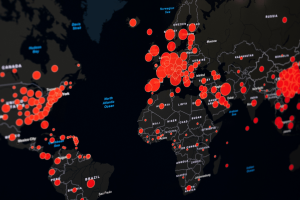
GIS technology is commonly used in the field of public health. GIS can track disease outbreaks and the spread of disease. An outbreak can often be represented as clusters or groups. Using the technology, public health officials can easily pinpoint the areas that are most affected by a disease and plan the most appropriate course of action. Outbreaks tend to occur in clusters on a map, and GIS helps health departments visualize where these clusters are occurring and how they are changing over time. By adding environmental information, population density, or transportation routes on top of the case information, health officials can begin to identify what might be driving the spread of the disease. This makes GIS useful not only for identifying where the disease is occurring, but also for beginning to form hypotheses about why the disease is occurring in a particular place.

https://online.utpb.edu/about-us/articles/gis-geospatial/how-public-health-experts-use-gis-to-fight-disease-and-save-lives/

https://www.cdc.gov/field-epi-manual/php/chapters/gis-data.html

GIS Application 2: Crime hotspot Analysis

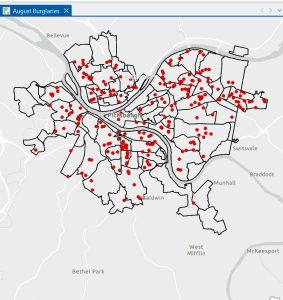
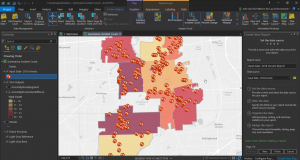
Another important application of GIS is the study of crime patterns. Police departments create maps to represent the areas in which various types of crime are occurring and use GIS to identify “hotspots,” or areas that experience repeated or high volumes of crime. This helps to identify the areas that need to be targeted by police patrols or crime prevention programs. Crime mapping also enables the study of the relationship of various environmental factors to crime patterns. Hotspot analysis aids in the identification of crime trends and the evaluation of the effectiveness of crime prevention strategies. 

https://www.esri.com/en-us/industries/blog/articles/crime-analysis-with-arcgis-pro-video-blog-series-part-3

https://www.esri.com/en-us/industries/law-enforcement/strategies/crime-analysis