Chapter 4: File Geodatabases
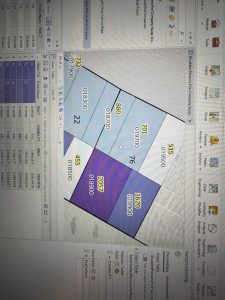
Chapter 4 focused on working with file geodatabases and managing attribute data within ArcGIS Pro. I learned that a file geodatabase acts as a container that stores feature classes and tables in an organized way. It is more efficient than simply storing shapefiles in folders because it keeps related datasets structured together. This chapter felt more technical than earlier ones, but I can see how important it is for long-term data management.
One of the main skills I practiced was carrying out attribute queries using SQL. Writing expressions in the Select By Attributes tool required precision. If I missed parentheses or used the wrong operator, the query would not run correctly. It reminded me of coding because everything has to be exact. Once I understood the structure better, it became easier to filter specific crime incidents and visualize patterns on the map.
I found the crime data analysis especially interesting. It made me think about how GIS can be used in public safety and urban planning. However, I still want to strengthen my understanding of SQL beyond just following tutorial steps. Overall, this chapter helped me understand how spatial features connect to tabular data behind the scenes.
Chapter 5: Spatial Data
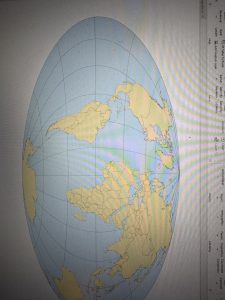
Chapter 5 focused on spatial data and coordinate systems. I learned the difference between geographic coordinate systems (latitude and longitude) and projected coordinate systems, which transform the earth onto a flat surface. Changing projections in ArcGIS Pro helped me see how maps can look very different depending on which system is used.
The world projection exercises were interesting because they showed that every projection has some level of distortion. There is no perfect projection — it depends on what you are trying to preserve, such as area or shape. I also learned more about shapefiles and how they are made up of multiple components (.shp, .dbf, .shx). Understanding this helped clarify why datasets sometimes fail to load properly.
Working with Census TIGER data was one of the more practical parts of the chapter. Downloading and importing external spatial data showed how GIS integrates multiple data sources. This chapter helped me better understand how spatial data is structured and why projections matter for analysis accuracy.
Chapter 6: Geoprocessing
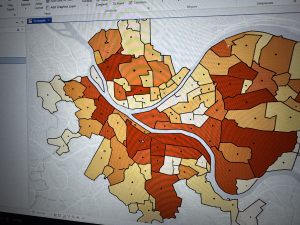
Chapter 6 focused on geoprocessing tools and spatial analysis. This chapter felt more applied compared to the previous ones. I used tools such as Pairwise Dissolve, Intersect, Clip, and Union to manipulate spatial layers. Dissolving block groups into neighborhoods using summary statistics helped me understand how data can be aggregated meaningfully.
I found Select By Location particularly interesting because it selects features based on spatial relationships rather than attribute values. This reinforced that GIS analysis is both spatial and statistical. The exercise involving populations with disabilities and fire company boundaries stood out to me because it showed how GIS can support emergency response planning and equitable resource distribution.
At the beginning of the semester, I did not fully understand what geoprocessing meant. Now I feel much more comfortable navigating the toolbox and using different tools together. While I still rely on the search bar sometimes, my confidence with the software has definitely improved.