Chapter 4:
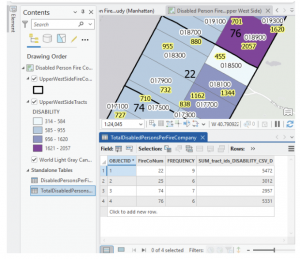
Chapter 4 gets into the databases/ Geodatabases. A very helpful thing to understand when working within ArcGIS- they are the central storage bank for all information/ data that pertains to a certain organization or project. File geodatabases have no limits to the size or amount of feature classes or raster datasets could be stored in it, and it keeps all your project information in one easy to access place! Over the course of the next few chapters, I used the geodatabase for each chapter to select any files I needed, quickly. It’s good to learn how to convert external files into the proper format for the file geodatabase, so you know how to work on a map from an external source. This is primarily because when working on a project from scratch, a lot of the data needed might not be available from the Esri/ ArcGIS collections, and would prompt the need for an outside source (like a census bureau tract for example). There was a bit of bookkeeping this chapter, with moving files around and developing understanding of these databases. One thing I learned that I found very helpful was that if you delete something from the contents pane, it is still filed in the geodatabase and can be brought back to the map. While on the other hand, if something is deleted straight from the database, that is permanent. As someone who is very nervous when deleting anything on a project, understanding how the files work within their environment and where backups are is good knowledge to have! I also liked that the system won’t let you accidentally delete any important keys from the field table. This is very reassuring as working with the tables can get somewhat confusing, and I’m always worried I’ll hit a button and accidentally erase a needed field. It was also interesting to learn that GEOID and GEOIDNumber are technically the same data, but two different ways that the field can be categorized. While they are the same kind of attribute, they cannot be joined together due to their different codes (GEOIDNum- 4048 vs GEOID- 04870). Diving deeper into the Python language and SQL helps me develop a stronger understanding of what I am doing when adjusting the code on my map. Like understanding that using ‘OR’ within a data query is essentially saying and/ adding the two fields instead of using one or the other like it sounds- and using ‘AND’ means the opposite, picking one or the other. Using the SQL and Definition Query to plot out exact pockets of dates and times to find the specific data you’re looking for is especially important when you need a small time pocket of data from a larger scaled data set.
Chapter 5:
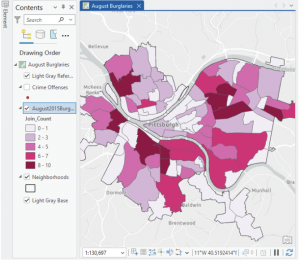
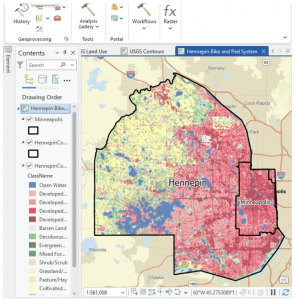
This chapter felt like we were learning how to read a map the “old-school” way, developing skills on reading and understanding the longitude and latitude, and positioning of locations. I appreciated that it explained map proportions and showed that most of the maps we’re taught about in school are technically all distorted/ inaccurate. I learned a new word that I actually quite like: Graticule. In regards to the longitude and latitude, a graticule is the coordinate point system. Chapter 5 gets back into the local versus world aspect of maps, detailing that certain maps work better on a smaller vs. a larger scale. For example, using localized projected coordinates for a smaller map such as Minneapolis or Hennepin works best due to its specialized data that focuses specifically on that region. This chapter also talked more about the file types, with specifics on shapefiles and the continued use of the geodatabase. I also learned how to access other websites to download their maps/ data- like the ArcGIS Living Atlas and dealing with the US Census Bureau again. At the end, I had a few issues when working on the joint data/ choropleth map section. The copied fields had been showing no data, and although I went back and repeated the steps from the start, the fields continued to not provide any data needed to even change the symbology into the graduated scale.
Chapter 6:
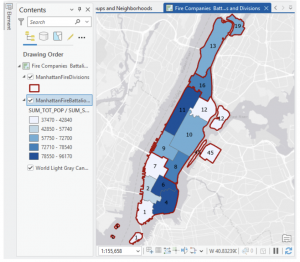
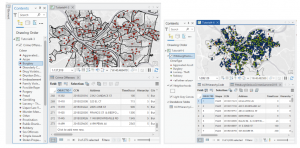
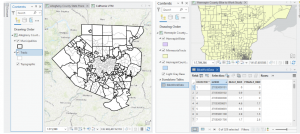
I love how this chapter began with more examples of real-world applications with the GISystem. That it did not abandon the initial idea that Geospatial Analysis tools can be used for many more reasons than people would first assume. On tools, the chapter explores a lot more, various geoprocessing tools. Because there are so many tools within the GIS system, it’s very helpful that the tutorial runs through as much of them as possible. Giving more examples and definitions, and having us actively use and have our own “turn” at using the tools. Intersecting features was surprisingly simple, and although the chapter has a lot of assignments, they were all short and sweet. That being said, I believe I learn better from the longer tutorial assignments, where if something is done wrong at a certain stage, then any work that connects to that could be off as well. It raises the stakes, and makes me pay close attention to what the tutorial says, and what I’m doing in my project. Setting a Study Area was one tutorial that I found particularly useful. When working in a location (like New York City) that has an overwhelming amount of streets and attributes, blocking off a specific work area quiets the noise and makes everything easier to work through. On the topic of simplifying everything, putting all classes into one single feature class really keeps things decluttered and simple- definitely something I will take advantage of in the future. This chapter really showed how many different ways there are to combine features, maps and tables (like the Union tool, or Intersect tool).