Koob Week 5

Chapter 4:

This was a difficult chapter for me to navigate, and it took me a while to fully understand what parts of the tutorial would ask of me. I was constantly going back and having to retrace my steps in the 4-2 tutorial, but it was cool to learn how to use the tables more, and this chapter definitely made me feel much more confident in understanding specifics like attribute tables and SQL queries. The repetition is very helpful. I had a few issues with the “tracts” area, calculating them and sorting parts. I googled a few parts of it and seemed to get back on track, though.

Chapter 5:

This chapter went much faster for me; a lot of it was simple configurations of maps. It was really repetitive, and the tutorials went by really fast, but it was still cool to do. 5.1 and 5.2 were quick, doing simple map projections, and the your turn sections made sense. 5.4 and 5.5 took me a bit longer; there were simply some parts where it would ask me to click something that wasnt there because I had skipped over a part by accident, or the files would get a bit confusing to look at, and I’d have to back track. In 5.5, I took some time trying to add data to my map, for some reason, it wouldn’t load for me, and I had to try and figure out why it wouldn’t show up. My add join tool was also acting up, but I was able to work around it. There was lots of inputting data in this section, so I feel a lot more comfortable with doing the inputs and outputs now. My map didn’t come out exactly like how the tutorial looks, but I think I still did most of it correctly. In 5.6, I had trouble because I accidentally pressed USA NLCD annual Land Cover instead of legacy, and it messed up my whole map, so it’s definitely important to pay close attention to each title you press, even if they’re similar. I got a good grasp on census data, too.

Chapter 6:

I liked this chapter and its tutorials; it was very easy to follow and use the search bar to complete things and follow along with every part it asked for. The geoprocessing sections helped me a lot since I was confused on that a bit in the last chapter. I liked that these tutorials were quicker to follow, but I wish there were longer “your turn” sections to help me apply what I learned. I only got a bit lost with the whole Tabulate Intersection part at the end of 6, but it was really helpful to learn through these chapters and apply new data to things.

Pichardo – Week 5

Chapter 4: File Geodatabases

Chapter 4 focused on working with file geodatabases and managing attribute data within ArcGIS Pro. I learned that a file geodatabase acts as a container that stores feature classes and tables in an organized way. It is more efficient than simply storing shapefiles in folders because it keeps related datasets structured together. This chapter felt more technical than earlier ones, but I can see how important it is for long-term data management.

One of the main skills I practiced was carrying out attribute queries using SQL. Writing expressions in the Select By Attributes tool required precision. If I missed parentheses or used the wrong operator, the query would not run correctly. It reminded me of coding because everything has to be exact. Once I understood the structure better, it became easier to filter specific crime incidents and visualize patterns on the map.

I found the crime data analysis especially interesting. It made me think about how GIS can be used in public safety and urban planning. However, I still want to strengthen my understanding of SQL beyond just following tutorial steps. Overall, this chapter helped me understand how spatial features connect to tabular data behind the scenes.

Chapter 5: Spatial Data

Chapter 5 focused on spatial data and coordinate systems. I learned the difference between geographic coordinate systems (latitude and longitude) and projected coordinate systems, which transform the earth onto a flat surface. Changing projections in ArcGIS Pro helped me see how maps can look very different depending on which system is used.

The world projection exercises were interesting because they showed that every projection has some level of distortion. There is no perfect projection — it depends on what you are trying to preserve, such as area or shape. I also learned more about shapefiles and how they are made up of multiple components (.shp, .dbf, .shx). Understanding this helped clarify why datasets sometimes fail to load properly.

Working with Census TIGER data was one of the more practical parts of the chapter. Downloading and importing external spatial data showed how GIS integrates multiple data sources. This chapter helped me better understand how spatial data is structured and why projections matter for analysis accuracy.

Chapter 6: Geoprocessing

Chapter 6 focused on geoprocessing tools and spatial analysis. This chapter felt more applied compared to the previous ones. I used tools such as Pairwise Dissolve, Intersect, Clip, and Union to manipulate spatial layers. Dissolving block groups into neighborhoods using summary statistics helped me understand how data can be aggregated meaningfully.

I found Select By Location particularly interesting because it selects features based on spatial relationships rather than attribute values. This reinforced that GIS analysis is both spatial and statistical. The exercise involving populations with disabilities and fire company boundaries stood out to me because it showed how GIS can support emergency response planning and equitable resource distribution.

At the beginning of the semester, I did not fully understand what geoprocessing meant. Now I feel much more comfortable navigating the toolbox and using different tools together. While I still rely on the search bar sometimes, my confidence with the software has definitely improved.

Ogrodowski Week 5

Chapter 4:

An accidental benefit of this chapter was becoming more familiar with my file explorer. I had to restart Tutorial 4-1 because I was struggling a bit to create filepaths, but I got the hang of it after a bit. This chapter also helped me get a lot better at working with attribute tables. It’s becoming more intuitive, and I’m beginning to sense patterns and use keyboard shortcuts. 🙂

In Tutorial 4-5, I was intrigued by what the tutorial meant when it said we wanted to calculate central points instead of centroids. After doing a quick internet search, I realized that it is important for tracts of irregular shape. In some cases, the technical “centroid” of an irregular shape might fall outside of the boundaries of the shape. Therefore, opting to choose a “central point” that looks good visually is accurate enough for this map. I followed through with the central points method that the tutorial suggested, but out of curiosity I tested what would happen if I left these dots as centroids.

Figure 4.1: Graduated Symbols Map of Burglaries by Neighborhoods–as displayed by centroid points. Notice the dots circled in green are located on tract lines or in a completely different tract from the one they are representing. This is why we select the “Inside” option to display general, more visually intuitive central points.

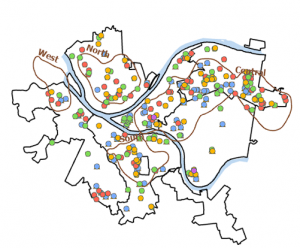
Figure 4.2: Pittsburgh Serious Crimes Summer 2015. I changed the symbol shape for each type of crime, which makes the map a bit more visually intuitive.

Personally, I think the map in Figure 4.2 still looks a little clunky. For the purpose of the tutorial and for noticing general trends it’s fine, but if I were to use this map to discuss trends, I might create sub-symbols (especially for Larceny-Theft crimes) or summarize the data with graduated colors or even numerical values.

Chapter 5:

I enjoyed the beginning of this chapter. As the tutorial walked me through how to import files to the geodatabase, navigate my file explorer, and convert files into various formats, I did ok.

The first few tutorials dealing with map and coordinate system projections were kinda boring. I understand why maintaining a consistent map projection is important, but to be honest, I felt like it was a lot of repetitive work to change projection status for every layer. On the county/regional level it’s not really necessary, but I did realize just how crucial this extra check is when looking at a national or global map.

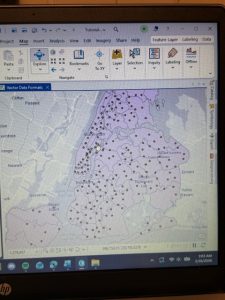
Figure 5.1: New York School Districts (light gray outline) and Libraries (green dots).

As the chapter went on, I began to have some trouble completing the tutorials. I guess all of the file downloading and transferring was not super intuitive to me. There were several times when I realized that I had completed a previous step incorrectly and had to retrace my steps. In particular, I had a bit of trouble figuring out the Add Join feature during Tutorial 5-5. I don’t think my join worked completely, because I could not transfer the tracts data correctly, so my choropleth maps were a little off. However, from looking at the maps in the tutorial, it appears that men bike to work around Minneapolis from a larger radius than women.

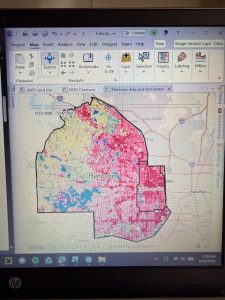
Figure 5.2: Hennepin County Land Use. I notice that the (south)eastern portion of the county is mostly developed land (because of the proximity to the city of Minneapolis) while the western portion of the county is more cropland and water.

I hope to further develop the skills that I began to learn in this chapter. I think being able to import my own data from websites like those used in the tutorials will be crucial to any personal work I might do with GIS.

Chapter 6:

Thankfully, this chapter *did* help me improve the skills that were troubling me last chapter. This section focused on geoprocessing, and I spent a lot of time working with merging, clipping, and uniting to analyze spatial data patterns. I’m getting a lot better at working with filepaths, and I’m anticipating patterns when it comes to determining input fields and other criteria while running tools. All of the processes I learned in this chapter seem super useful!

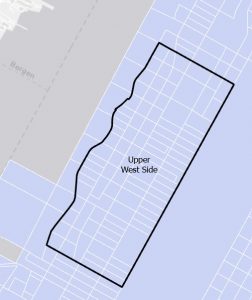
Figure 6.1: Manhattan Streets clipped to fit within the Upper West Side tract. The Clip tool seems super helpful with geoprocessing techniques when different layers don’t automatically coincide with each other.

Figure 6.2: Upper West Side Manhattan Fire Company Service Areas (black outline) overlaid on Tracts (graduated colors). Yellow-highlighted numbers indicate the amount of disabled people in each tract, but because the tracts do not align with the fire company service polygons, more processing has to be done to determine the amount of disabled people in each tract.

As mentioned in the tutorial, the neighborhood tracts and areas each fire company serves do not line up perfectly. That means that some tracts will be split in terms of service, so just from looking at the map we cannot determine exactly how many disabled people are served by each fire company. However, by running Summary Statistics, I was able to determine this. The results are shown in the attribute table in Figure 6.2.

Gregory Week 5

Chapter 4

Chapter 4 honestly made me realize how easy it would be to mess up a GIS project if you are not organized from the beginning. Before this, I didn’t really think about where data was stored as long as it showed up on the map. But working inside a file geodatabase made everything feel more structured and intentional (and a lot more difficult). Creating the geodatabase and importing feature classes felt simple at first, almost like a puzzle in a way. However, once I started looking at attribute tables, I noticed how technical it actually is. The difference between text and numeric fields seems minor until you try to join something and it doesn’t work. Then it suddenly matters a lot. Editing fields also made me think about how permanent some changes are. Once you delete a field or change a format, that affects everything connected to it. I say this because I sadly had to learn it the hard way. It definitely made me more careful about clicking through steps too fast.

Chapter 5

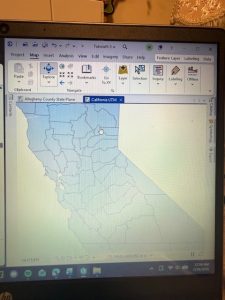
This chapter was probably the one that made me stop and think the most. I’ve heard of coordinate systems before, but actually switching between them and seeing how the map responds made it all real. When the map adopted the State Plane coordinate system automatically, I didn’t realize at first why it changed. Once I understood that the first layer sets the coordinate system for the map, it became more real. I will have to admit that the Census portion took more effort than expected. Cleaning the CSV file, formatting GEOID fields, and making sure everything matched before joining it to the shapefile showed how much preparation happens before visualization. Sometimes, I wish the system would read my mind and all I have to do is click a button when I want it to do something. 

Chapter 6

This last chapter felt more active compared to the others. Instead of just organizing or displaying data, I was actually changing it. I found the summing of  the housing unit fields during the dissolve process interesting. It showed how powerful these tools truly are. The totals carried over automatically, which is efficient, but it also made me wonder how often people double-check those outputs. Could the computers even get it wrong? Geoprocessing tools feel powerful but also slightly intimidating. If you run a tool with the wrong settings, you could create misleading results without realizing it. That part stood out to me — GIS requires attention to detail the entire time. I can see where mistakes happen though, especially with looking at the complex bright screen for a long time. These tutorials specifically made me realize how easy it would be to misinterpret data if you don’t understand what’s happening behind the scenes. A map might look convincing, but small technical decisions can completely change what it’s showing. These couple chapters most certainly made GIS a whole lot more serious. 

Moore Week 5


Chapter 4:

         For Chapter 4 (and chapters throughout the manual in this section) It doesn’t show you many examples of what the map is supposed to look like throughout the text; it just simply walls you through a wall of confusing explanation. This makes it very difficult to check if you are doing the right thing, as there is little visual comparison. I made many mistakes because of the exclamation leaving out small but important details with almost nothing to compare it to visually. Chapter 4 was dedicated to file geodatabases, as we created and managed file geodatabases and then edited said data in specific ways using various methods. For example, we modified attribute tables, carried out attribute queries, aggregated the data with spatial joins, used central point features for polygons, and lastly created a new table to join to another table. A new thing about chapter 4 is that the data is not already loaded in on a pre-existing template. We had to be the ones to create it this time, which was a difficult hurdle for me. Especially when I feel the instructions would lead me to a dead end on multiple occasions. 


Chapter 5:

        Chapter 5 introduced more advanced geoprocessing tools and focused the reader on spatial data. The focus was on solving spatial problems by combining multiple tools and methodologies. Unlike earlier chapters, where the tasks felt somewhat guided, this one required a lot more attention to detail and understanding of what each tool was actually doing behind the scenes. This caused me to make several errors. For example, in tutorial 5-6, there was an error stating “010819: The input path contains spaces” despite the input being selected from a predetermined dropdown box. There were no instructions to fix this issue. Little errors like this occurred often that stopped me in my tracks because of the detailed nature of chapter 5. 

Chapter 6:

      Chapter 6 felt more focused on selecting and analyzing data rather than creating new feature classes. This is becuase chaoter 6 focused on Geoprocessing, which is a framework and set of tools for processing geographic data. I became accustomed to searching for specific tools in the geoprocessing tab, specifically within this chapter, as almost every tutorial section has you using a specific tool you must look up in order to complete the task. This can be tedious, as being introduced to a new tool almost every single section became overwhelming. This, combined with the previous issues of instructions still being very dense and not very visual, as well as not providing workarounds to errors, led to an overall stressful experience for me. 


Bulger Week 5

Chapter 4

Chapter four goes over how to import data, join tables, and provides an introduction to attribute tables and SQL queries. The first tutorial shows us how to import data and explains what a shapefile is. I am glad that the textbook covers this because we usually begin each project with the data already added, and I’ve been curious how to do it ourselves. We then used join tools throughout the chapter, which I had a bit of trouble with. Overall, this chapter was a lot more difficult than the previous chapters with finding certain tools and following the instructions, as I feel like they were more vague than they had been.

Chapter 5

Chapter five worked with global data and coordinate systems. We began by looking at the different types of map projections. We then learned how to find and change the projected coordinate systems. The next tutorial we went over was what a KML file is. Lastly, we worked with census data. I really enjoyed this tutorial because we learned how to find and download the data from different sources as well as use it within ArcGIS. Chapter five was a lot easier to follow than chapter four; however, I wish the tutorials were a little longer so we could learn how to apply these techniques in more ways.

Chapter 6

Chapter six was my favorite of these three chapters. It was super easy to go through, and everything worked the first time. I did have to go back and read through some steps I forgot how to do. This chapter used a lot of tools, so I got very comfortable with the search bar and using each of these tools. It also went in-depth on how to use and edit attribute tables. I thought it was cool that we got to learn how to cut off all the outlying features, and we learned how to export data. I didn’t comprehend all of the tools we used as much as I’d like to, but I think this chapter will be very helpful for the final project and future uses.

Evans Week 5

Chapter 4 notes

Tutorial 4-2 had some trial and error for me to understand the directions, since I know nothing about coding. It turns out, it’s kind of similar to some of the ways you can create equations in Excel; the connection made it easier for me to understand after realizing it.

Chapter 5 notes

I’m excited to work with map projections, though I’m worried it will be difficult. In Tutorial 5-5, I accidentally made GEIOD equal to GEIODNUM rather than the other way around and could not figure out how to fix it without going back and restarting the tutorial. I struggled quite a bit with this chapter because I messed up a couple of things that I didn’t know how to fix and had to restart a couple tutorials. This is definitely the most difficult chapter so far; I might go through it again to make sure I understand it.

Chapter 6 notes

There are multiple types of merge tools that show up when you search merge. I had to just cycle through them to see which one would work for what I’m doing with it. It’s interesting that the symbol next to the tool doesn’t seem to make a difference in what the textbook refers to it as when you search for a tool. A hammer icon and scroll icon are both referred to as “tool” in the textbook. This isn’t a big deal, but can make similarly names tools with different symbols hard to pick through since I don’t know which it is asking for. It could also be a small discrepancy between the book and the software.


Delaware GIS Data Project

Payne Week 5

Chapter 4: 

This chapter on spatial databases was definitely more challenging than the earlier ones, but it ended up being the most useful so far since I can actually see myself using this stuff to import data and analyze certain trends in real situations. Learning about attribute queries and how to link tabular data to map features was really interesting, especially since I didn’t realize before that SQL coding could be used in GIS to work with attribute values. The crime mapping exercise was probably my favorite part because it made me think about how law enforcement and public health officials could actually use this to identify problem areas and figure out where interventions are needed most. I had some issues in this chapter with finding certain tools but overall it wasn’t too difficult

Chapter 5: 

This chapter provided valuable insight into map projections and how different projection systems minimize distortions depending on the scale and region being mapped, which helped me understand why we use specific projections for US based versus global datasets. Learning to work with coordinate data from GPS units and external databases to create point feature classes was particularly interesting to me. The chapter’s explanation of spatial data sources and coordinate systems was a bit confusing but not too bad, and I can see how these skills will be directly applicable to the final project. 

Chapter 6: 

This chapter introduced me to geoprocessing techniques for manipulating spatial data, including tools like Pairwise Dissolve for aggregating block group attributes to the neighborhood level and Pairwise Intersect for summarizing feature class data into grouped datasets. What really stood out was how these various tools work together in practice and build off each other. I’ve noticed I’m getting a little more comfortable navigating the software overall as I can now quickly identify which tools I need and where to find them which I wasn’t as good at in past chapters. While I still encountered some technical issues this week, they were significantly fewer than before, and I’m feeling more confident applying my statistics and mapping skills as I work toward the final project. 

Fry- Week 5

This tutorial book continues to go in depth on how to use GIS and how to use all the little features it has. Chapter four was tough for me; I was struggling to find a few of the attributes or tabs it was asking me to find. When I got to the portion where it asks you to delete the unnecessary portions of the “Tracts” tab, I was unable to, as the “delete” selection was greyed out. I am unsure of where I went wrong, but when I opened the attributes table for “Tracts,” it only showed one variable, while the attributes I was not able to delete were showing in another tab. When attempting to add the “GEOIDNum” field, it also did not show up in the attributes table. This very well could be user error, but I will have to go back to the first part of chapter four.

Chapters five and six, however, went very smoothly! The tutorials were lovely and worked exactly as stated in the text. I do like how the tutorials give you the opportunity to test the lesson with a different outcome at the end of each section. I do find it quite helpful. Chapters five and six dive deeper into the more technical side of using GIS programs by showing us how to change numbering settings, sort through information (by data, type, quantity, etc.), and change layering and location specifics. I am quickly realizing just how many options there are in ArcGIS and can see how each of them is extremely useful to the overall function of the program. I am excited to try to start a map from nothing but data, as everything has been handed to us thus far, but I definitely need more practice with the basics first.

Uible week 5

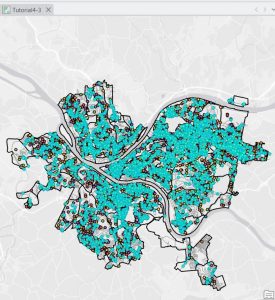
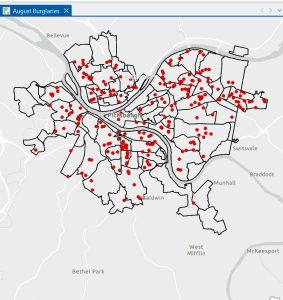
Chapter 4’s tutorial 3 was the most interesting of all the ones that. We’re in this specific chapter. We looked at a bunch of crimes in Pittsburgh and broke down how to examine each one and where they occurred. In this tutorial, we split many of the crimes into exactly where they occurred, when they occurred, which crimes they belong to, and how many of the crimes were specific types of crime. If it were a burglary or a robbery, we would have to look specifically for those things and pinpoint them on this map. They asked us to define where each of these crimes occurred by entering specific codes. Chapter 4 felt much smoother while doing all this compared to chapters 1-2 and 3, after spending lots of time in the lab trying to figure out how to make sure these run right and that I had done them correctly. Chapter 4 went by very quickly and felt like I was moving through it effortlessly, so it didn’t take me too much longer than the previous chapters. 

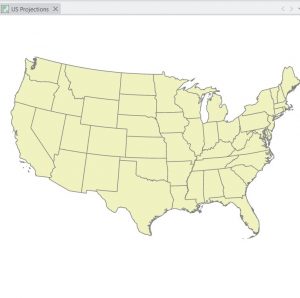
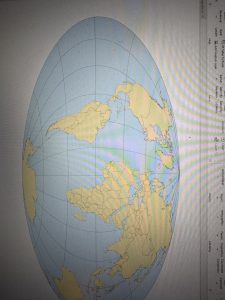
Chapter 5 Tutorials We’re very simple compared to the other two. The first one they asked us to do was to center the United States in the world, which took very little time.  The second tutorial of the chapter was also quite simple and specifically had us center the world as they have it is on the globe, which was more of an oval shape. The other tutorials we looked at in this chapter led us to examine the census data for NYC. One of the last ones we looked at was the spaces in Minnesota. 


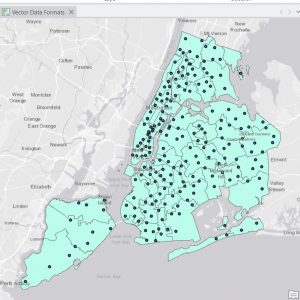
In Chapter 6 tutorials, the ones I remember, we looked at the NYC boroughs, put the name “Upper West Side” on the map, and specifically marked out the neighborhood in downtown NYC. Also, in a different tutorial in chapter 6, we pinpointed multiple of them, Firehouses and police stations in that area on points which. We use a method that lets us pinpoint all of them very quickly, so we didn’t have to pinpoint one after another, since there are multiple firehouses and police stations. .