Chapter 7
So far this chapter has been really interesting, and I quite enjoyed learning how to adjust the shapes around the buildings on the campus in several different ways, from just moving them to properly cover the building, to learning how to rotate and change the entire shape of them. Additionally, learning how to separate the shapes covering the buildings from one another, I think the split tool for me was the most confusing part of 7-1 because of how you had to click things in such specific spots.
There were a couple of hiccups for the 7-2 section for me, but ultimately, this part of the chapter just felt like I was moving around a bunch of shapes and changing them, so it was pretty fun. I was also glad to learn how to separate the shapes that were on the top of the building because I had tried to adjust some of them in the first section, and it hadn’t shown us how to do that till later on. I liked learning how to add the bus stops to this section, even though it was quite confusing, but it was interesting to add information like this to the map.
As for 7-3 and 7-4, they felt quite short in comparison to the other sections, but they were interesting. Again, most of this chapter wasn’t too complicated, and I got through it fairly quickly in comparison to the rest of the chapters we’ve done so far.
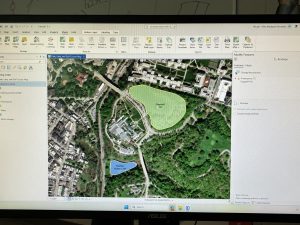
The smooth polygon feature was really easy to use, as are most of the features in geoprocessing, so this was interesting as well. 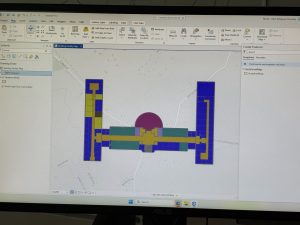
Rotating and moving a shape to connect it with another one was kind of confusing to do, but overall, not too bad.
Chapter 8
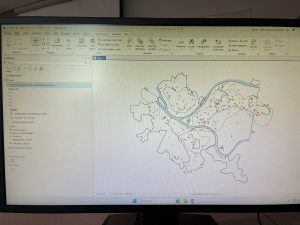
While working on the chapters, I’ve seen the create locator feature, but don’t remember using it at any point until now, so it was interesting to use that feature, considering a big component of the process is using zip codes to, I guess, ‘geocode’ the information onto the map. It was also interesting to see how, after doing this, there were a few records that didn’t match, but since they still had an address, it was still viable information.
This chapter felt quite a bit shorter than the rest of the chapters, and I did not really struggle with any of it or have any particular questions about this chapter specifically.
Chapter 9
Something I did really struggle with a few chapters ago was trying to use the select by attributes tool, but I have had to use it a couple of times in this chapter, and it has gotten quite a bit easier to understand how to do, and with practice, I understand how to do it now without struggling.
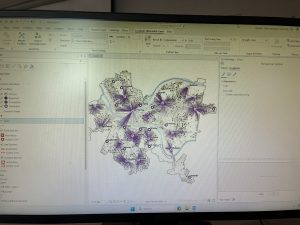
Working with the service area and location-allocation tools has been confusing. Both 9-3 and 9-4 are complicated due to the many details. As I continued to finish 9-4, those tools became a lot easier to use, so I don’t have any concerns or questions about them.
Another thing I really struggled with was trying to do the summary statistics for Hierarchy, ArrAge, and ArrGender. Since this was one of the your turn sections in the chapter and I wasn’t exactly sure what I was doing, it caused me a lot of confusion while i wass trying to work on it although I do think it was kind of fun to see the map throughout post of this seectiosn because I think the things being added in made them look really interesting.