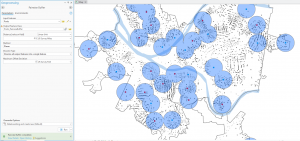
Chapter 7:
This chapter was one of the smoother chapters for me, and I found it pretty easy to navigate overall. The geoprocessing tools like Buffer, Clip, and Intersect felt familiar enough that I could often complete the steps without even following the instructions closely. It was satisfying to see how these tools could quickly answer spatial questions just by setting a few parameters. I also liked how the chapter showed the logic behind each tool which made sense on what they could do as I was working. Overall, this chapter boosted my confidence because I realized I was starting to think ahead of the tutorial and understand how the tools fit together.
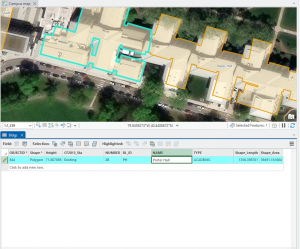
Chapter 8:
This chapter took me a little longer to work through because some of the symbology steps didn’t look the same as they did in earlier chapters. I got stuck on a few parts where the panels or options had moved, so I had to slow down and figure out where everything was. A couple of steps even required some quick Google searches just to find the right table or window the tutorial wanted me to use. Even with those challenges, I still liked seeing how different symbology choices could change the way the data was interpreted. The chapter was manageable, but it definitely required more troubleshooting and patience than some of the earlier ones.
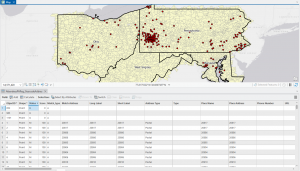
Chapter 9:
I enjoyed working through this chapter the most because it felt really interactive and visual. I liked how you could see the map change in real time as you applied different tools and settings, which made the whole process more engaging. The steps flowed pretty naturally, and I felt more confident moving through the exercises without getting stuck. It was satisfying to watch the analysis build layer by layer and actually see the results take shape on the screen. This chapter felt smoother and more interesting than some of the earlier ones, and it made the work feel less like work.