Chapter 4
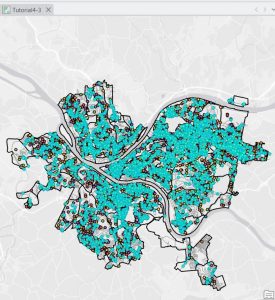
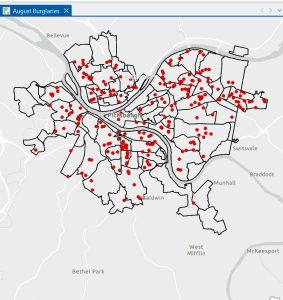
Chapter 4 mostly involved working with the attribute tables and understanding how the data is stored inside the file geo database. Before this chapter, I did not fully comprehend the extent to which GIS works with tables and data. As I opened the attribute tables as part of the tutorials, I realized that every feature on the map has rows and columns attached to it. This made me comprehend that the map is only half the work; the data that is associated with it is just as important. As part of the tutorials, I got to work with the attribute tables to sort the fields, view different columns, and comprehend the meaning of each field. I also got to work with the Select By Attributes tool to select data based on different criteria. The SQL statements were new to me. I had to ensure that I spelled the fields correctly and entered the correct value. If I made a small mistake, nothing would be selected. As I got to select different things like burglaries that occurred in a particular month, I realized the extent to which attribute queries are powerful. I also got to work with the field calculator and exporting the tables. I was a bit confused as I had to work with different tools that had similar names. I was not always sure which tool to use. I had to try it a few times before getting it right. The “Your Turn” sections were a bit difficult as the instructions were not as detailed. As part of Chapter 4, I realized that GIS is not all about working with the maps. It is also about working with the data that is associated with the maps.
Chapter 5
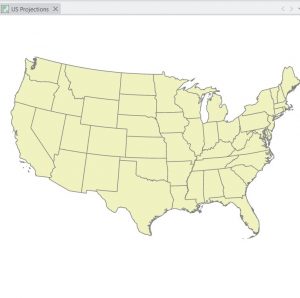
Chapter 5 dealt with map projections and coordinate systems. I didn’t quite grasp the significance of map projections at first. However, once I started experimenting with different map projections using ArcGIS Pro, I understood how a map changes depending on its projection. I realized that it would be impossible to accurately depict the Earth on a flat surface. I learned about various world projections too as well as those commonly used in the United States. I utilized the Map Properties window to learn about coordinate systems. I learned that coordinate systems play a crucial role in displaying data. In this chapter, I also learned about how to add a vector layer and work with tables. I had to learn how to add data to ArcGIS Pro, making sure that I had done it correctly. I realized that if I had not organized my files well, I would be in a worse position. I learned about how to work with tables, as well as how to join tables to spatial data. I learned that this chapter was conceptual and that map projections are not just something you select and forget. I learned that they play a crucial role in how you view your maps. Another part of the chapter in this section that stood out to me was the ability of the different layers to appear together even if they were originally given a different coordinate system. I learned that even though the program can automatically change the data display in the map, it does not mean that everything is lined up correctly. This made me realize that I need to be more aware of the properties of the different layers rather than assuming they will automatically match. Another thing that stood out in the chapter was the importance of the projection depending on the size of the area that the map covers. A world map and a city map cannot be the same projection if accuracy is a priority.
Chapter 6
Chapter 6 dealt with various tools that are utilized to alter or change spatial data. I learned about various tools such as Clip, Extract, Merge, and Dissolve. With the tutorials, I learned how to choose a certain area and then use the Clip tool to create a new layer that only includes data within the boundaries of the area. It took a few attempts to get it right because sometimes I would choose the wrong input or save the wrong output in the wrong location. Once the error was corrected and the tool was executed correctly, it was nice to see the new layer appear. Another tool I got to work with was the Dissolve tool, which allows features to be combined based on shared information. This reminded me of Chapter 4 because the attribute data plays a part in the combination of the features. If the data is different, they will not be able to be dissolved together. The “Your Turn” sections were a little more independent, and I had to really think about what the tool was doing instead of just following the instructions. Although I did receive some error messages, they were mostly because of a mistake that I had made. Chapter 6 taught me about the ability of GIS to transform data, not just display it. It made me feel comfortable using the geo processing tools in ArcGIS Pro. The other thing I noticed in this chapter is that it is essential to be careful about where you save the output. I noticed a few times that I had saved a new layer in the wrong place, which would later be hard to find. I realized that it is as important to be organized as it is to be able to run a tool successfully. I also began to understand that most of my errors were not because the tool was hard to work with, but because I had made small mistakes. I learned to be patient with this tool as I read this chapter.