Cherry Blog week 4
Chapter 1
So far throughout the first tutorial chapter, we are working on just some of the basic understanding of where different things are within the GIS program. An example of this is learning how to turn on and off features. Something I was really struggling with was trying to figure out how to move the features. After some time, I ended up looking it up to see and realized I had to go to the list by editing tab so I could actually move the features I needed. So far, throughout a majority of the assignment, I’ve had a really hard time orienting myself to GIS since computer systems are not very easy concepts for me to understand. So throughout a majority of the assignment, I’ve had to look up how to find things since the tutorials have been hard for me to follow.
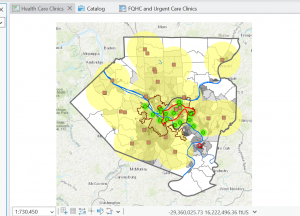
Here’s a picture after the First (1-1) section of the tutorial.
Once I got past the first section of the tutorial for chapter one, it actually got a lot easier, and the instructions felt clearer, so I was able to move through the assignment more easily. For example, the bookmark and zooming in and out part of the tutorial was pretty easy to do. It was also interesting to see the actual information for the vectors in the attribute table (at least for 1-2). Overall, once I got through the first section of the tutorial, it became a lot easier to work with the system. In 1-3, working with the statistics summary part was kind of fun, initially I clicked the little circle plus at the top of the bar for it and ended up having to redo it because after seeing the screenshot in the tutorial of what it was supposed to look like but it was not too complicated so I wasn’t too stressed out about it.
Chapter 2
For the first 2-1 Section of the second chapter was really easy to work through, and I also quite like how colourful the map ended up being. I think it adds quite a bit of fun to the assignment. When we got to the labeling part of 2-2, I got kind of confused, and it took me a while to figure out where to go to actually get that part done.
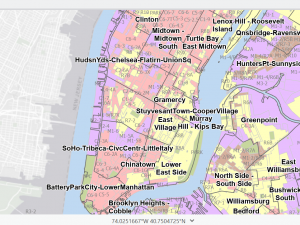
I’m still really struggling with the labeling part; it also still looks very overwhelming in comparison to the tutorial instructions, and I’m not sure how to fix that. Throughout the tutorial for chapter 2 theres a ton of aspects that were centered around symbology, which was quite confusing for me,e but it was kind of fun to also work withcolors schemes.
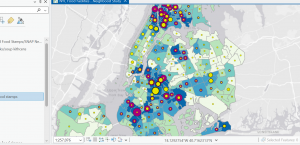
2-5 I thought this section was really fun, seeing the overlap of data and trying to find the correlation between them. Overall, this section definitely had very confusing parts, but once I got about halfway through it, most of what I was doing was related to symbolog,y with new parts added to it with each section, so having the same basis to work off of made this chapter a lot easier as I progressed.
Chapter 3
Initally adding the maps to the arts layout was a little frustrating because when i had added them they wee completely different sizes which I did not think was going to be an issue since we were going to resize them anyways, but it did end up being an issue because through that process one of the maps had gotten cut off on both sides so I ended having to start over on that section. Overall, it was not too hard to do, but it did take me a little extra time. I know they were also supposed to resize, but it didn’t seem to work for the map that ‘cut off’. I was also initially really confused about how to get rid of the label name because in the instructions, it just said click show, which was quite confusing because what it meant was a tab called show properties.
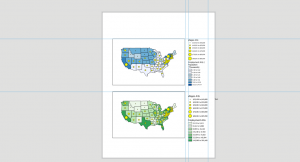
In the section after this, it was quite a bit of a struggle to work on the charts because there were so many little tedious steps, but after that, I didn’t have too much trouble.