For Chapter 3 I learned more about using 2D and 3D maps and putting them together.
For Chapter 4 I learned how to create a survey using arcgis to collect data.
Module 2: 3/16/2026 - 4/28/2026, OWU Environment & Sustainability
For Chapter 3 I learned more about using 2D and 3D maps and putting them together.
For Chapter 4 I learned how to create a survey using arcgis to collect data.
Aiden Walz – Week 3
Chapter 3:
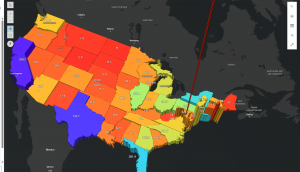
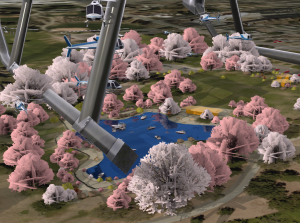
Chapter 3 went over the ArcGIS experience builder and how it’s a hodgepodge of multiple features and apps together that the user can customize to include more functionality than any individual ArcGIS instant app.
Chapter 4:
Chapter 4 went over the mobile GIS part of ArcGIS online as mobile devices are one of the most common tools people have to view data
For an application idea for chapter 4 I could make a mobile app about local tree health in a certain area. I could use Survey123 and have users record location, species and condition of trees in a certain area directly from their mobile devices. The app would allow them to attaches photos and note any signs of damage or possibly disease if I want the app to focus on that approach, and then submit them in real time. This app could help city staff and groups track the health of a tree population and visualize patterns on a web map.
I think the app I will make for my final from chapter 1-4 will be a ArcGIS story map over local art museums in Columbus, Ohio. Would allow tourists or residents to look at where these art museums are, along with have a photo of what they look like and a description of what these museums hold.
Chapter 3 – In this chapter I learned a lot about just basic ideas of the database such as map layers, different mechanisms, and even creating an app using web services. This also helps create a map that can change over time. This chapter allows me to explore different spatial data.
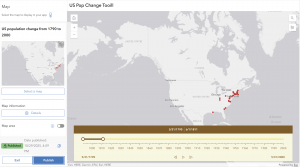
There are a lot of different things you could do with the stuff learned in chapter 3, such as creating a map with changing features over time and using those different mechanisms to add the data you may need for your map.
Chapter 4 – This chapter goes over more “advanced” types of things such as comparing different layers and points. It allows me to learn how to perform/create high-quality and fast working basemaps that can go into configuring a web app. This application is important when it comes to the performance of things like comparison widgets. This can be used for things like looking at two different maps for things and comparing them to see which data is best for what I’m trying to accomplish.
Chapter 3: This chapter really shows how easy WebGIS is compared to the desktop version (in my opinion). WebGIS allows us to create our own web experiences using flexible layouts, content, and widgets that interact with both 2D and 3D data. We can start with templates for mobile-adaptive apps, modify template layouts for a custom design on different screen sizes, or even build apps from scratch. The ability to do those things adds to the availability of this application and how easily one can understand it. When using these applications, you follow a little pattern on how to complete the maps. It goes: pick a template or start from scratch, pick a theme, add your data, add and move around your widgets, refine your layout, and finally save and share your maps! A widget is a JavaScript and HTML component that encapsulates a set of focused functions. Experience Builder provides two types of widgets: basic and layout. Basic widgets can perform as app tools. Basic widgets include map, legend, layers, query, filter, edit, chart, elevation profile, survey, and more. Layout widgets help organize widgets on your pages or windows. Layout widgets include section, column, row, fixed panel, sidebar, and more. One important thing about widgets is that you need to pay attention to your version of ARCGIS because the ArcGIS Online edition doesn’t allow custom widgets; the Portal for ArcGIS edition allows the deployment and use of custom widgets; the developer edition allows the creation, deployment, and use of custom widgets. Overall, just be aware of your GIS and the different things you can do with it
Chapter 4: This chapter talks about mobile GIS and how beneficial that is. I think that offering a mobile version is amazing as it increases the availability of ArcGIS, giving more people the opportunity to learn it. However, there are a few disadvantages to mobile GIS; the small size of mobile devices imposes limitations on speed, memory size, battery power, bandwidth and network connections, screen size, and keyboard size. As an “owner” of a hosted feature layer, you’re also able to be an editor tracker. Editor tracking is the ability to track who has changed the data of a feature layer and when the change was made. Editor tracking can help create more accountability and quality control over the edited data. This is, if you choose to enable it on your layers. A feature layer can contain a feature template, which you can define in ArcGIS Desktop or Map Viewer in ArcGIS Online. A feature template defines the types of data items that users can add to a layer. A template ensures data integrity and makes editing easier for your users. There are also 3 different approaches that can be taken with mobile GIS: browser-based, native-based, and hybrid-based. ArcGIS provides a suite of apps for field operations as well, including ArcGIS Field Maps, ArcGIS Survey123, ArcGIS QuickCapture, ArcGIS Navigator, ArcGIS Companion, ArcGIS Earth, ArcGIS Mission Responder, and ArcGIS Indoors mobile viewer.
One application of what was talked about in these 2 chapters would be the ability to create a map of tornado locations in Ohio over the past 5 years to see if there is a recurring pattern within those locations.
Chapter 5-
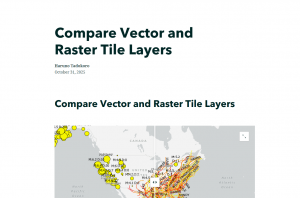
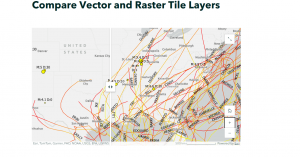
This chapter was pretty short and focused on creating vector and raster tile layers. Vector tile layers store geographic data as points as points, lines, and polygons. They represent the geometry and attributes of features and are more flexible and efficient. They are best used for interactive maps. Raster tile layers are image tiles. They show small portions of a map. They are used for mapping consistent geography that isn’t expected to change very quickly, such as static basemaps.

Chapter 6-
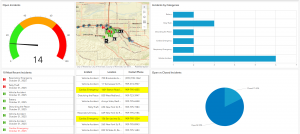
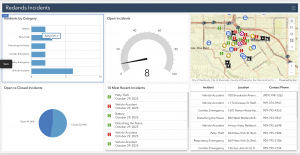
In this chapter, I created a dashboard web app for the city of Redlands, California, to coordinate response efforts for the city’s medical, police, and fire departments. This web map displays the most recent incident details, monitors real-time locations (with minimal lag is the idea), and allows users to filter incidents by the type that they are.

Chapter 3
In chapter 3 I learned about the basic components like pages and windows.
I also learned about how basic widgets are widgets that can preform as app tools and how layout widgets are the containers can help organize widgets on the panes and windows.
Lastly I learned about using experience builder to create web experiences like select them, adding source date, adding and configuring widgets, etc.
Chapter 4
In chapter 4 I learned about mobile gis: Concepts and advantages like mobility, location awareness, ease if data collection, near real time information, etc.
Next I learned about the mobile gis is built on some on some of these mobile devices. Some examples of this tech is mobile devices like smartphones. tablets, etc. There are also Mobile operation systems like Microsoft windows, iOS, and android. Lastly there is wireless communication technology like blue tooth, Wi-Fi, cellular network and satellite internet. These are only some of the devices that can be used for mobile gis.
Lastly I learned about is rapid data collection. Like Quick Capture which is specifically designed for field teams that need to collect data from moving vehicles like a truck, car, helicopter, off road vehicle.
During my application I created a simple line feature layer, created attribute fields, created domains, enabled editing, enabled attachments, and created feature templates. During this process of creating and enabling these sections most of it was not to hard to figure out but some of the buttons I had click were hard to find so it took me some time to find those. But overall I enjoyed working on this application.
Under Construction (I will be Comming back to this to see if this is the assignment)
Chapters 3 and 4 of Getting to Know Web GIS expand on the practical tools and workflows that bring Web GIS to life. Chapter 3 introduces the concept of web layers the building blocks of online maps and explains how different types such as feature, tile, and imagery layers are published, styled, and shared. It emphasizes how cloud based platforms like ArcGIS Online simplify data publishing so users can focus on visualization and analysis rather than software management. The chapter also explores how web maps serve as the foundation for web apps, dashboards, and story maps, showing how dynamic mapping can communicate ideas more effectively than static displays. Chapter 4 dives deeper into smart mapping, discussing how symbology, classification, and pop-ups can enhance spatial storytelling by turning raw data into intuitive, meaningful visuals. It also highlights tools for analysis such as spatial queries, buffering, and heat maps that allow users to uncover trends and relationships hidden in spatial data.
Application idea: Using my own GPS data, I could design an ArcGIS Experience Builder app that displays my walking routes over time, with widgets that show the total distance covered, elevation changes, and areas visited most often. Pop-ups could include date and weather details for each route, creating an interactive story of my weekly movement patterns. This project would connect what I’ve learned from Chapters 1-4 by combining map publishing, smart visualization, and app creation.
Chapter 1 –
The goal of chapter 1 was to get a better understanding of WebGIS and how to use it, go through and use the different components (mapping, data, apps, and more), learn more about the different WebGIS apps and just follow the instructions to create your own webmap and know how to share it with others.
Chapter 2 –
The main goals of chapter 2 are to work with ArcGIS using different things like geocoding, feature layers, and more, use symbology to characterize your layers, make your map more interactive with pop ups, add images and charts if needed, and add layers to create your webmap that can then be used to create a web app.
Chapter 3 –
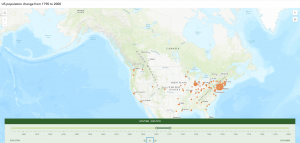
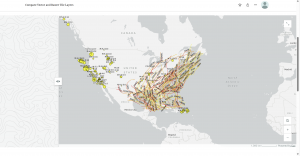
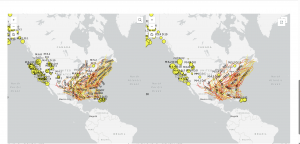
In chapter 3, I learned how to create a public web experience to display data, specifically earthquakes and hurricanes. I listed data in tables that allows users to select records and filter maps. Using this data, I was able to display earthquake summaries in a chart and popups, which I then organized to allow users to filter features based on attribute fields. I also learned how to customize widgets.

Chapter 4-
In chapter 4, I learned about 4 different applications. I learned how to make surveys, use field maps, Quick Capture, and AuGeo. I really liked learning how to use Survey123. However, I was having a hard time with this chapter tutorial because a good portion of the tutorial was inaccurate and I could not get things to work. It was only a couple of steps, but it created a cascade that made it impossible to do following instructions because a previous step did not work. I was not a huge fan of having to download a couple of extra apps onto my phone just to use it for a few steps of the tutorial, especially when some of the instructions were inaccurate.


Chapters 1 and 2 of Getting to Know Web GIS introduce the foundations of what makes Web GIS such a powerful evolution of traditional geographic information systems. Chapter 1 focuses on how Web GIS moves mapping and analysis into the online environment, allowing for greater accessibility, interactivity, and collaboration. Instead of being limited to desktop software, users can now create, share, and analyze spatial data through browsers and mobile apps. This shift transforms GIS from a specialized tool used by experts into a connected platform that supports teamwork, decision-making, and public engagement. Chapter 2 explores the structure of GIS data, including the differences between vector and raster formats, how feature layers are organized, and why coordinate systems and map projections are crucial for accuracy. Understanding how data aligns spatially ensures that maps are not only visually appealing but also meaningful for analysis.