Gist – Week 1

Hello, my name is Reghan Gist! I am a first year majoring in Environmental Science, and am planning to add Zoology as well. I run both cross country and track here at Ohio Wesleyan. This is my second GIS course, I took the Desktop class earlier this semester.

I completed the quiz, and took Geog 291, so I did not schedule an appointment for weeks 2 and 3. I also already have access to my OWU ArcGIS online account from earlier this semester!

After looking around at my profile once I logged in there were a few notable findings. The first one is that in My Esri you are able to add the organizations you work with and both store payments and purchases. The second thing I found was located in Resources and Support and had training and videos that allow you to sign up for different types of courses that teach you how GIS works. This would be helpful for if you were not learning GIS through a class, and instead were expected to figure it out on your own.

The next activity of this week was reading through Get Started: What Is ArcGIS Online. The first thing I noticed was how it is different from WebGIS. The first difference I noticed was that you can add collaborators and share content with people outside your organization. Another difference that I noticed was that WebGIS allows you to collect data and monitor projects, supporting field activities. Through synchronization you can be offline and still see the latest update to the project which is a very convenient feature!

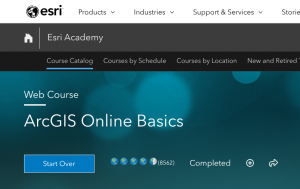
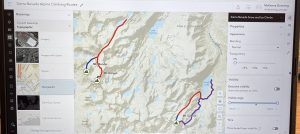
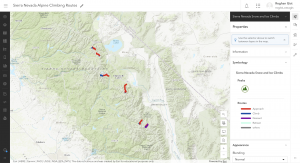
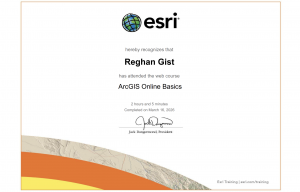
Next, I completed the ArcGIS Online Basics course. The first comment I have after this course was that the app section was confusing but a really interesting tool. The second comment I have was this is much easier to navigate and use than the desktop version earlier this semester. Pictured below is my certificate of completion alongside my example map that the course had you create.

The final activity of this week was to use both Google and Google Scholar to find two examples of ArcOnline for projects.

1. Mapping Arcadia

https://www.proquest.com/docview/3105916469/abstract/B4E12BF5984E4987PQ/1?accountid=40547&sourcetype=Dissertations%20&%20Theses

This first article explained the benefit that community gardens have on certain communities. They explained how it is important to have clear ways to find suitable sites for the gardens to be grown. This study continues to explain by using public parcels you can find potential community garden sites. This idea is super interesting and could be relevant to many communities looking to improve their local biodiversity.

2. Sea Turtle Tracking App

https://www.esri.com/about/newsroom/arcnews/tourists-become-citizen-scientists-with-sea-turtle-tracking-app

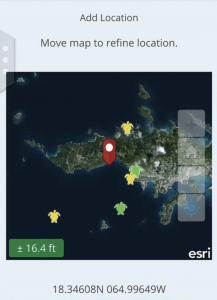
This second example I found on Google and was located through Esri. This example was a researcher who built an app that tracks sea turtles called TURT. This app allows tourists, scuba divers, and snorkelers to upload different photos and information on sea turtle sightings. This allows them to add information including the area, weather, date and time to the sighting. The information is then used by conservationists to analyze trends to observe the lives of multiple sea turtle species. What interested me about this project was how it was aimed for the public to have fun to use, and then can be analyzed by scientists later. I love sea turtles and would be super interested to download the app next time I go on a trip! Included below is the image provided of what the app looks like.


Saeler Week 6

I made my first application showing trade routes and density of aquatic vessels showing how popular certain routes are as well as areas ships completely avoid

Trade routes


My second application shows the modern drought conditions in the united states as well as wild fires in 2024 showing the correlation between drought and wild fires as well as wildfires that do not follow the trend

wildfires

Final Project Aqib Ali

For my final project I made a Instant app that shows historic US Wildfires from 1992-2020 in a 3 year interval using a data set from kaggle. The link  is below:
https://owugis.maps.arcgis.com/apps/instant/slider/index.html?appid=d9e0e79a60b04e3489654afd0f7735e0

To see it more clearly in action please zoom in towards the USA.


For my second project I made an AR using AuGeo that shows coffee shops near Delaware downtown, I also added pictures for each so its easier to spot this requires the AUGeo mobile app:
https://owugis.maps.arcgis.com/apps/mapviewer/index.html?layers=bc085386f988441580a14034df60543a

Saeler Week 5

Chapter 7

  • This chapter explains how 3D and extended reality (XR)—including VR, AR, and MR—make GIS more intuitive and immersive by representing the world in three dimensions. In ArcGIS, 3D web maps are called web scenes, which use various scene layer types created through tools such as ArcGIS Pro and ArcGIS Drone2Map. The chapter introduces key 3D concepts and their relevance to emerging fields like the metaverse, indoor GIS, urban planning, and AEC. It also covers how to build web scenes in Scene Viewer, apply thematic and realistic 3D symbols, and edit feature layers that use z-values for elevation. Tutorials guide readers through exploring scene layers, configuring 3D symbols, and creating interactive, spatially accurate web scenes.
  • A way to use the tutorial for a real world appllication would be to map out certain areas so businesses are able to see how they would look if they moved into a location or how a theme park could plan its layout for a new location.

Baer – Week 5

Chapter 7 

Chapter seven had me creating 3D images of the United States. The 3D element was really cool. It’s so clear how useful online GIS can be used for city planning and development. It also made me realize how GIS and AutoCAD could be used together. It was also cool to see all the different ways it could be used for citizen science.

One Idea for an application would be to see the unemployment rate for each state. Then, maybe you can have a separate map showing the population of each state. I think it would show how the relationship exists between small and larger cities.

Baer – Week 4

Chapter 5

In this chapter I worked on connecting ArcGIS Pro with ArcOnline.  I thought it was cool how the two could be connected and interact with each other in real time. I also worked on publishing tile layers, which make online GIS so much easier. I had a little bit of trouble connecting the two, but it was really interesting when I finished. The side-by-side component was really cool too, and it’s clear to see how all these applications would be great for citizen science.

Chapter 6

Chapter six brought together the two main aspects of geography, space and time. Known as spatiotemporal data, it allows the user to see spatial changes/movement over time. The chapter also talked about data that is constantly being collected. Things like camera feeds, google searches and more. I thought this chapter was really cool, and the exercises really showed the application of the techniques.

Week 5 Aqib Ali

Chapter 7:
In chapter 7 I worked with creating 3D webscenes and webapps. In this chapter first I created 3D webscenes of US States by adding 3D counts and amounts that show different number of population and population density. I also worked on a park design 3d scene where i added 3d symbols for different things like trees, benches and cars. Then I worked on the sky and added 3D helicopters and also adjusted ground transparency to show the underground pipes. At the end I also worked with measuring distances and  elevation profiles.

An application of this would be for people who plan cities or buildings as it will allow them to see realisticcally what the project will look like.

Aqib Ali Week 4

Chapter 5:
In chapter 5 I worked with ARCGIS Pro app. I connected ArcGIS Pro to a portal, practiced publishing tile layers and built a simple comparison web app to view those layers side by side. also saw how different tile types work like raster tiles, vector tiles, map image layers, and feature tiles. I initially had some trouble with the portal because I was unable to get th organization name right I was putting OWU but the appropriate name was owugis which I was able to figure out after some trial and error and help from a friend. I also saw how level of detail had big  impact on the size of the caches, this was much bigger than what I had expected.

Chapter 6:

Chapter 6 is about spatiotemporal data which is data that has both location and time. It also talks about Internet of things which is that sensors in devices are constantly sending collecting and sending data to the cloud. I was able to see live camera feeds from the highways. I then worked on creating a dashboard that showed list of emergencies, their type , location, number of open incidents, and contact numbers and divide those incidents by categories. I also worked on making cardiac incidents highlighted so that it can be prioiritized by first responders. I had problems with this because it involved making changes to the code and for one of the steps the code in the book didnt match the one in the software, I used ChatGPT to help me alter the code so it can fit the format and run in the ArcGIS.
The second exercise was creating a dashboard that shows changes in population in US overtime. I worked on configuring this dashboard and customizing this dashboard.
A good use for this will be to see how  climate and temperatures have changed overtime with respect to areas to better see which areas are most affected by climate change.