Luna – Week 5

Chapter 6

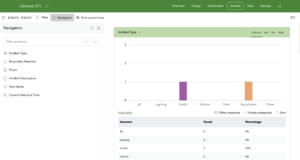
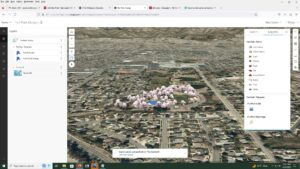
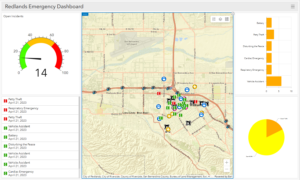
Application: This could be used in many ways with Delaware Data. My first thought would be to use it in the same general way using crime data. This could also be used with any other activity or information because it can show all different aspects of a data table.

Luna – Week 4

Chapter 3

Chapter 4

Application: I think that both of these chapters can be used in different ways. I think that the widgets could be used to create a more interactive map of Delaware. The surveys, on the other hand, could be used to collect information and possible direct people that are newer to Delaware.

Week 6 – VanderVelde

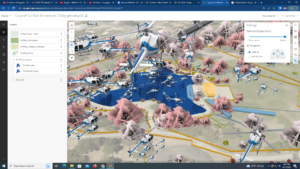
Chapter 7:

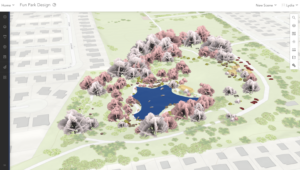
  • Understand the basic terminology of web scenes
  • know the types of scene layers and technologies to create them
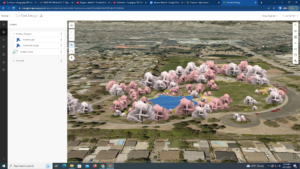
  • create web scenes using scene viewer
  • Understand the value of 3D in XR, meta verse, indoor GIS and AEC
  • Configure 3D symbols in scene viewer
  • Create and use feature layers with z-values enabled

7.2

7.3

Week 5 – VanderVelde

We skip chapter 5!! im so happy!

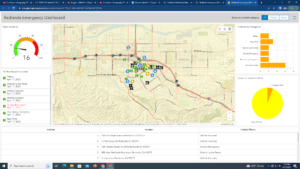
Chapter 6:

  • understand spatio-temporal data terminology
  • Learn the concepts of IoT, Sensor networks, smart cities and other related frontiers
  • Understand the advantages of stream layers
  • learn about ArcGIS Velocity capabilities
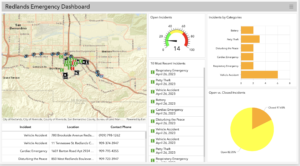
  • Use ArcGIS dashboards to monitor real time data
  • Configure actions and Arcade-based formatiign
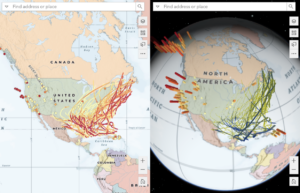
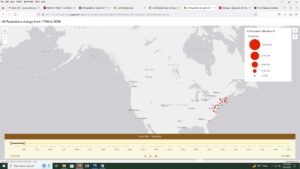
  • Create Time-enables web layers and apps to animate time series data

Skidmore Week 5

Chapter 6:

I personally really enjoyed this chapter and how everything was put together. I found everything done had a purpose and could be used in other scenarios, which I found really helpful. Also, the last example seemed a little out of place within the chapter compared to the instance with the dashboard. This was one of the easier chapters as a whole though

.

Munroe Week 6

Chapter 7: 3D Web Scenes

Main elements in 3D scenes

  • Surfaces: Continuous measurements, typically elevation, with one value for a given x,y location
  • Features: On, above or below surfaces. Operational layers
  • Textures: Exterior or interior covers of 3D features
  • Atmospheric effects: Ex. lighting and fog

Web scene layers

  • 3D object scene layers
  • Building scene layers
  • Category layers
  • Filter
  • Integrated mesh scene layers
  • Point cloud scene layers
  • Point scene layers
  • Voxel scene layers

Munroe Week 5

Chapter 6: Spatiotemporal data and real-time GIS

ArcGIS Velocity and GeoEvent Server

  • Ingest: Provides ways to communicate with IoT platforms, sensor networks, social network feeds and other real-time data streams
  • Process: Processes the real-time data received and translated by the ingestion component
  • Output: Sends processed data to a variety of destinations, including writing to a data store, sending data to web clients, alerts through SMS/email

New ArcGIS Velocity Items

  • Feed items
  • Real-time analytic items
  • Big data analytic items

Munroe Week 4

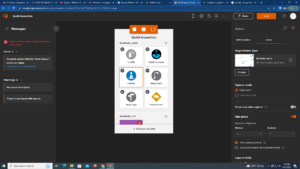
Chapter 3: ArcGIS Experience Builder

Editions of Experience Builder

  • Embedded in ArcGIS Online
  • Embedded in Portal for ArcGIS
  • Developer edition

Widgets

  • Basic Widgets: Functional and can perform as app tools
  • Layout Widgets: Help organize widgets on pages or windows
  • Message Actions: Listen to triggers and perform actions automatically
  • Data Actions: Provide an actions button that users can click in widgets at runtime and select from a list of actions to perform
  • Triggers: Events generated by the source widget
  • Targets: Perform actions responding to the trigger
  • Actions: Specific business logic that the targets perform

https://experience.arcgis.com/experience/8291f9325ace4e2e8652b02dec691471/

Chapter 4: Mobile GIS

Mobile GIS Concepts and Advantages:

  • Mobility
  • Location Awareness
  • Ease of data collection
  • Near-real-time information
  • Large volume of users
  • Versatile means of communication
  • Built on mobile devices, mobile operating systems, wireless communication technologies, and positioning technologies

Week 4 – VanderVelde

Chapter 3:

  • know why and when you need experience builder
  • familiarize yourself with experince builder terminology
  • learn the workflow for creating web apps using experience builder
  • understand widgets and their conent and styles
  • understand triggers and actions
  • configure and use charting, filtering, and other widgets

Chapter 4: 

  • – Understand the concepts of Mobile GIS, LBS, VGI, VR and AR
  • Understand the 3 approaches to building mobile apps
  • Create smart surveys using ArcGIS Survey 123 web designer
  • Collect data using survey123
  • Configure Editable feature layers and feature templates

For 4.3 step 17, I am literally so confused, Krygier you posted a photo i think to go with the question but i dont know what that means and its 10:10pm rn.

I did it, this seems like really easy rn but also its very tedious which makes it harder to get done.


Munroe Week 3

Chapter 1: Get started with Web GIS

Objectives:

  • Grasp the concept and advantages of Web GIS
    • Global reach, large number of users, low cost per user, better cross-platform abilities, easy to use and maintain
  • Understand the deployment patterns of Web GIS
    • Esri managed and customer managed
  • Learn the components of the new-generation of Web GIS
    • Portal which represents a gateway for accessing all spatial products in an organization. Helps to organize, secure and facilitate access to products
  • Understand the technical evolutions and trends in Web GIS
    • From closed websites to open geospatial web services
    • From one-way to two-way information flow
    • Portal technology is becoming essential
    • Cloud GIS delivers GIS functionality and ready-to-use contents
    • Mobile is becoming the pervasive Web GIS client platform
    • Map visualization goes from 2D to 3D and virtual reality
    • Data source goes from static to real time and spatiotemporal big data
    • Web GIS is becoming more intelligent
  • Understand the concepts of web services and hosted feature layers
    • Main content types: Data, layers, web maps and scenes, tools and apps
    • Hosted layers refer to a situation in which a web service is based on ArcGIS managed data, stored in the ArcGIS Online cloud database or in ArcGIS Data Store
  • Publish hosted feature layers from CSV files
  • Learn the workflow for creating web maps and web apps

Example Application: A map, like the tutorial, showing locations of former fraternity and sorority houses in the historic Northwest neighborhood of Delaware. Images (PNG) and text from the Delaware Historical Society for each house and possibly alumni quotes.


Chapter 2: Smart Mapping and Storytelling with GIS

Types of hosted feature layers:

  • Hosted feature layers
  • Hosted Web Feature Service (WFS) layers
  • Hosted tile layers
  • Hosted vector tile layers
  • Hosted Web Map Tile Service (WMTS) layers
  • Hosted scene layers
  • Hosted image layers
  • Hosted map image layers

ArcGIS Living Atlas of the World

  • Dynamic collection of layers, maps, tools and apps produced by Esri and thousands of contributors

StoryMaps

  • Storytelling (used this so many times for Ashley Allen’s classes and other final projects)

Link to StoryMap: https://arcg.is/1L5D1u0

Example Application: Interactive StoryMap visualizing the population change/decline in Newfoundland and Labrador fishing cities.