Saeler Week 6

I made my first application showing trade routes and density of aquatic vessels showing how popular certain routes are as well as areas ships completely avoid

Trade routes


My second application shows the modern drought conditions in the united states as well as wild fires in 2024 showing the correlation between drought and wild fires as well as wildfires that do not follow the trend
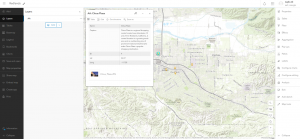
wildfires

Saeler Week 5

Chapter 7

  • This chapter explains how 3D and extended reality (XR)—including VR, AR, and MR—make GIS more intuitive and immersive by representing the world in three dimensions. In ArcGIS, 3D web maps are called web scenes, which use various scene layer types created through tools such as ArcGIS Pro and ArcGIS Drone2Map. The chapter introduces key 3D concepts and their relevance to emerging fields like the metaverse, indoor GIS, urban planning, and AEC. It also covers how to build web scenes in Scene Viewer, apply thematic and realistic 3D symbols, and edit feature layers that use z-values for elevation. Tutorials guide readers through exploring scene layers, configuring 3D symbols, and creating interactive, spatially accurate web scenes.
  • A way to use the tutorial for a real world appllication would be to map out certain areas so businesses are able to see how they would look if they moved into a location or how a theme park could plan its layout for a new location.

saeler week 4

chapter 5


  • ArcGIS Enterprise provides a private or hybrid Web GIS alternative to ArcGIS Online for organizations needing secure environments, restricted internet use, or advanced services like custom geoprocessing. It includes Portal for ArcGIS, ArcGIS Server, ArcGIS Data Store, and ArcGIS Web Adaptor, which together support hosting, managing, and sharing GIS data, maps, and apps. Enterprise can run on local servers, virtual machines, major cloud platforms, or Kubernetes for scalable, containerized deployments and can be configured as single-machine, multitier, or highly available. Distributed collaboration lets multiple Web GIS systems securely share and synchronize content. The chapter also introduces caching and explains raster tiles, vector tiles, map image layers, and feature tiles, outlining when each should be used. Tutorials show how to connect ArcGIS Pro to portals, publish tile layers, and build comparison web apps. These skills apply broadly across both ArcGIS Online and ArcGIS Enterprise environments and workflows.
  • A city emergency-management department could deploy ArcGIS Enterprise in its secure data center to host real-time hazard maps, cached basemaps, and custom geoprocessing tools that support disaster response without exposing sensitive infrastructure data to the public cloud.

Chapter 6

  • Chapter six introduces spatiotemporal data—information about objects and events that move or change over time—categorized as moving, discrete, stationary, or change-based. Time can be stored as a single moment or a duration. The chapter highlights the Internet of Things (IoT), where sensor-enabled devices like cameras or appliances collect and exchange data, with geolocation adding essential spatial context. Smart cities and smart homes apply these concepts through connected sensors that help manage resources and automate tasks. It then explains real-time GIS technologies, noting that ArcGIS Velocity and ArcGIS GeoEvent Server can ingest diverse streaming sources, process high-volume sensor data, perform real-time and big-data analytics, and trigger alerts.
  • A transportation agency could combine roadside IoT sensors, GPS data from buses, and traffic cameras to build a real-time congestion-monitoring system. Using ArcGIS Velocity or GeoEvent Server, the agency could process live vehicle speeds, detect incidents as discrete events, and automatically send alerts or update digital message signs to optimize traffic flow and improve commuter safety.

Saeler Week 3

Chapter 3

  • ArcGIS Experience Builder is designed for users who need more functionality than any single configurable app can provide. It allows creators to combine, customize, and remix multiple tools through an extensive library of widgets—such as maps, tables, filters, queries, charts, and reports—without any programming. As a more flexible successor to ArcGIS Web App Builder, Experience Builder introduces adaptable layouts, mobile-first design, integrated 2D/3D views, triggers, actions, and enhanced customization options.
  • The platform enables users to create “web experiences,” which are web apps built from templates, themes, data sources, and widgets. Users can begin with mobile-adaptive templates or design layouts from scratch. Themes control appearance, while widgets—categorized as basic (functional) or layout (organizational)—control tools and structure. Each widget has configurable content, style, and actions. Actions allow widgets to interact; for example, one map can respond automatically when another map’s extent changes. Dynamic content features allow widgets like text, images, and lists to display live data or statistics pulled directly from connected datasets.
  • Experience Builder supports a multi-step workflow: selecting a template, choosing a theme, adding 2D/3D maps or feature layers, configuring widgets, adjusting layouts for different screen sizes, and finally previewing, publishing, and sharing the experience. Web experiences can contain multiple pages and windows, with outline views that help users organize and navigate widgets more easily.
  • The platform exists in three editions: ArcGIS Online, Portal for ArcGIS, and a developer edition. All share similar core functionality, though updates are released first to the Online edition. Support for custom widgets varies: ArcGIS Online does not allow them, Portal allows deployment, and the developer edition allows full creation and customization. The developer edition must be downloaded and registered with an ArcGIS instance before use, offering developers the ability to design new widgets, themes, and advanced app capabilities.
  • A real world application using this chapter could look like a slideshow comparing world trade routes and overlaying factors that delay or even speed up trade along trade routes.


Chapter 4


  • We now live in a post-PC era in which smartphones, tablets, and wearables dominate computing, making Mobile GIS essential for both everyday life and organizational operations. Mobile GIS leverages mobility, location awareness, and real-time connectivity to extend GIS capabilities to the field. Its advantages include easier data collection, large user reach, versatile communication tools, and access to multiple positioning technologies such as GPS, Wi-Fi, Bluetooth, and indoor location systems. Despite limitations like smaller screens or lower processing power, mobile devices enable widespread GIS applications ranging from navigation and asset inspection to incident reporting and parcel delivery.
  • Mobile GIS development follows three main approaches. Browser-based apps use HTML, JavaScript, and CSS and are easy to deploy but limited in access to device features. Native apps offer the best performance and full hardware access but require platform-specific development. Hybrid apps blend both approaches to balance performance and flexibility. ArcGIS supports all three strategies through ArcGIS API for JavaScript and various Runtime SDKs.
  • Esri’s mobile ecosystem includes several specialized apps. ArcGIS Field Maps unifies mapping, data collection, workforce coordination, offline use, and location tracking in one app. Survey123 enables smart, form-based data collection through web or desktop form builders. Quick Capture supports rapid, button-based data recording from moving vehicles. ArcGIS Indoors provides indoor routing, wayfinding, and workplace navigation, while ArcGIS Companion assists with content and user management. App Studio allows developers to build cross-platform native GIS apps using templates or custom code.
  • Key concepts tied to Mobile GIS include Location-Based Services (LBS), which deliver information triggered by a user’s location; Volunteered Geographic Information (VGI), crowdsourced from the public; and immersive technologies such as Virtual Reality (VR) and Augmented Reality (AR). AR in particular enhances real-world views with GIS data, supported by Esri tools like AuGeo and Runtime toolkits. Combining AR with computer vision and deep learning further improves field data collection by enabling automated object recognition.
  • A real-world GIS application using these Mobile GIS concepts is a city infrastructure inspection app that lets field workers navigate to assets, collect GPS-accurate data, and view augmented-reality overlays of underground utilities.

Saeler week 2

Chapter 1

  • This chapter introduces basic concepts and workflows of web gis and the esri geospatial cloud. Beginning with an overview of web gis and lists the technical evolutions in web gis and explains its content types, hosted feature layers, app types, and user types in web gis. Then going onto demonstrate the workflow to build web gis apps using the attachment viewer instant app template.
  • Starting with publishing a hosted feature layer from a csv file and adding attachmetns; to adding a field to the layer and editting the attributes; then creating a web map; and finishing with creating an instant web app using a template.

Chapter 2

  • web layers are important because they are the building blocks of web apps which are important because they are the faces of web gis. Stories being more popular. Continuing the discussion of feature layers and web apps particularly arc gis webmaps. This chapter introduces feature layers and the various ways you may style them using smart mapping and discussing living atlas of the world. as well as further exploring storytelling using gis.
  • Tutorial- starting with creating a feature layer using geocoding, then configuring layer style using smart mapping, proceeding to configure layer popups using gis arcade, then adding images and charts to layer popups, finishing up with creating a story and working with swipe blocks and express maps.