Final Project Aqib Ali

For my final project I made a Instant app that shows historic US Wildfires from 1992-2020 in a 3 year interval using a data set from kaggle. The link  is below:
https://owugis.maps.arcgis.com/apps/instant/slider/index.html?appid=d9e0e79a60b04e3489654afd0f7735e0

To see it more clearly in action please zoom in towards the USA.


For my second project I made an AR using AuGeo that shows coffee shops near Delaware downtown, I also added pictures for each so its easier to spot this requires the AUGeo mobile app:
https://owugis.maps.arcgis.com/apps/mapviewer/index.html?layers=bc085386f988441580a14034df60543a

Week 5 Aqib Ali

Chapter 7:
In chapter 7 I worked with creating 3D webscenes and webapps. In this chapter first I created 3D webscenes of US States by adding 3D counts and amounts that show different number of population and population density. I also worked on a park design 3d scene where i added 3d symbols for different things like trees, benches and cars. Then I worked on the sky and added 3D helicopters and also adjusted ground transparency to show the underground pipes. At the end I also worked with measuring distances and  elevation profiles.

An application of this would be for people who plan cities or buildings as it will allow them to see realisticcally what the project will look like.

Aqib Ali Week 4

Chapter 5:
In chapter 5 I worked with ARCGIS Pro app. I connected ArcGIS Pro to a portal, practiced publishing tile layers and built a simple comparison web app to view those layers side by side. also saw how different tile types work like raster tiles, vector tiles, map image layers, and feature tiles. I initially had some trouble with the portal because I was unable to get th organization name right I was putting OWU but the appropriate name was owugis which I was able to figure out after some trial and error and help from a friend. I also saw how level of detail had big  impact on the size of the caches, this was much bigger than what I had expected.

Chapter 6:

Chapter 6 is about spatiotemporal data which is data that has both location and time. It also talks about Internet of things which is that sensors in devices are constantly sending collecting and sending data to the cloud. I was able to see live camera feeds from the highways. I then worked on creating a dashboard that showed list of emergencies, their type , location, number of open incidents, and contact numbers and divide those incidents by categories. I also worked on making cardiac incidents highlighted so that it can be prioiritized by first responders. I had problems with this because it involved making changes to the code and for one of the steps the code in the book didnt match the one in the software, I used ChatGPT to help me alter the code so it can fit the format and run in the ArcGIS.
The second exercise was creating a dashboard that shows changes in population in US overtime. I worked on configuring this dashboard and customizing this dashboard.
A good use for this will be to see how  climate and temperatures have changed overtime with respect to areas to better see which areas are most affected by climate change.

Aqib Ali Week 3 Chapter 3 and 4

In Chapter 3 I worked with Experience Builder and how it can be used for turning web maps into interactive apps instead of just  maps. I learned how to choose or design a template, pick a theme, connect data, add widgets, adjust the layout for different devices, then save, preview, and publish. I also learned the difference between message actions and data actions . Even though the tutorial was confusing at first and I really struggled  with Experience Builder but after I was done i found the maps i created to be very fascinating.

In Chapter 4 I learned about using GIS on mobile devices and creating those appps. I worked on creating AR, adding incident reports with photos and details and surveys as well. I also learned about why when designing mobile apps we should keep limits in mind because mobiles are less powerful then computers and the apps have to be less complicated. These can be useful when doing field work which is why I found it really interesting. I found the AR AuGeo the most interesting because ARCGIS makes it very simple to create, it was very similar to an app I use called flight radar and now I understand how it works.

The biggest problem I had was that the UI for making these apps has been updated so its hard to find exactly the things the tutorial is talking about.

An idea for my project using these chapters would  be to:
– Create an AuGeo app that uses AR to show coffee shops in the direction you are pointing to
Week 2 – Aqib Ali

Chapter 1

I was able to create the map using the instructions from the book however I was unable to integrate the app with this map.

Chapter 2 talks about the importance of web layers and the different types of hosted layers it also talks about the different mapping styles like heatmap etc. The chapter later also talks about user expereince and how to best optimize for it.

Aqib Ali – Week1

Hi, my name is Aqib and I am a senior at OWU. For week 1 I met with Prof. Krygier, took the quiz regarding the syllabus and also introduced myself to the ArcGIS using the following article: https://doc.arcgis.com/en/arcgis-online/get-started/what-is-agol.htm. Here are my two takeaways from this article:

  1. I learned about how to use maps and configure them using the settings and different options available in there.
  2. I also learned about the sceneviewer and its features like measuring distances and changing the weather etc.

I also completed the ArcGIS online basics course the certificate to which I have attached:  ArcGIS Online Basics_Certificate_10242025

Key takeaways from the course:

  1. I learned about the about the different layers such as base and operational.
  2. I learned about the ways to add data and acceptable import files.

ArcGIS has been used in various ways for business and economics, the ones I found most interesting were:

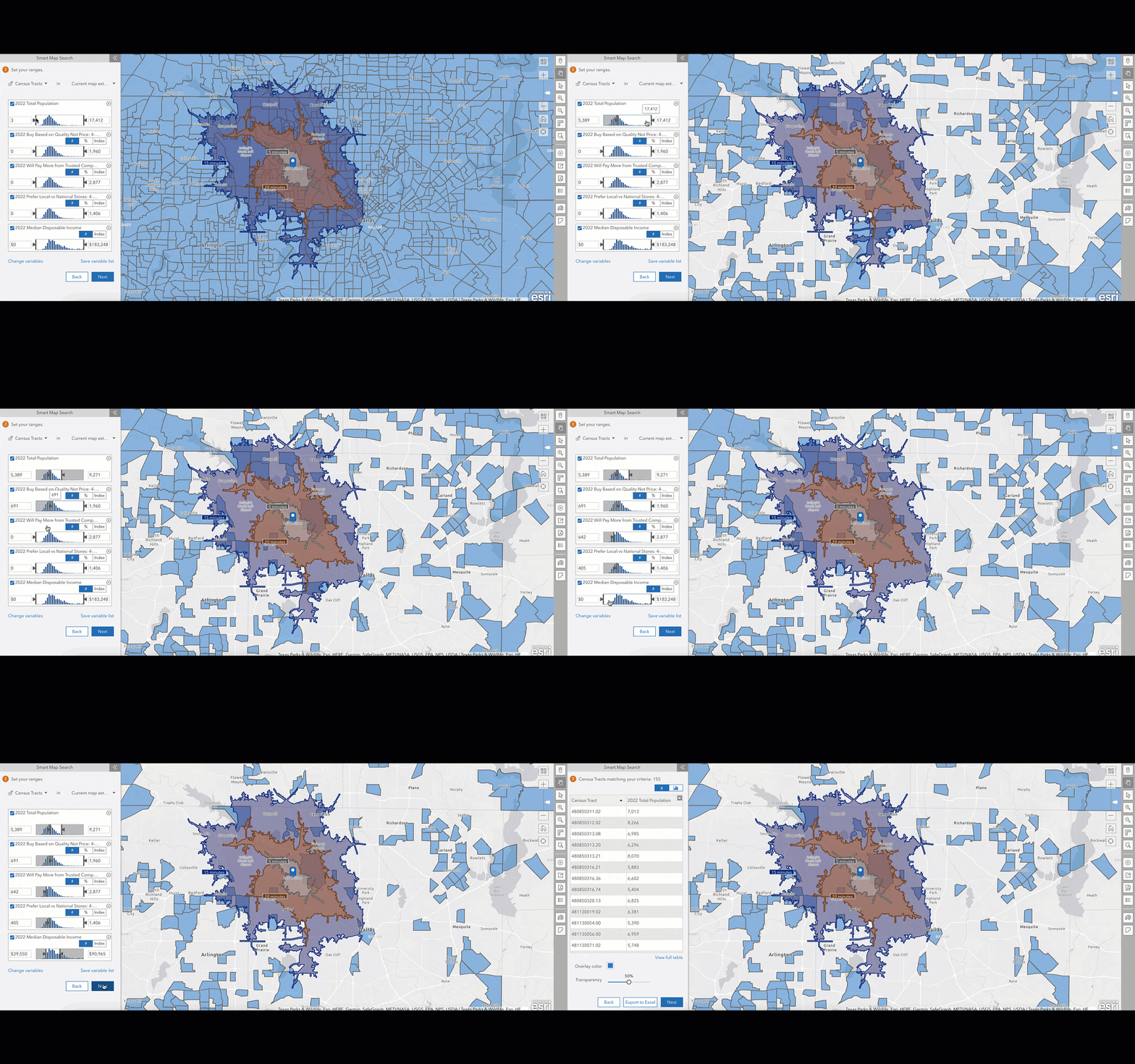
  1. ArcGIS was used to  increase retail sales by 150%: https://www.esri.com/en-us/arcgis/products/arcgis-business-analyst/marketsource-case-study.

Image Example 1

2. ArcGIS is used by small and mid sized businesses to figure out the best places for expansion and analyze where target customers live. Source: https://www.esri.com/arcgis-blog/products/business/business/learn-how-arcgis-business-analyst-can-help-small-businesses 

Image Example 2