Intro: Hello, my name is Alayna Moore. I’m a Sophomore, and I transferred to OWU at the end of my freshman year. Delaware Ohio is my hometown, so I always wanted to go to OWU. I plan on double-majoring in Biology (B.A) and Environmental Science (B.A). As for a career, I want to spend time in the field doing surveying. I’m interested in working as an environmental consultant or working for a national park. I’m very new to GIS, but I hope it will help me succeed in these fields of work.
As for accessing the WordPress and ArcGIS accounts, I previously completed this in GEOG 291. I also took the quiz.
This week’s work:
Before exploring my account, I navigated to my profile at the top right corner and added my basic information to my profile as instructed. When clicking on this, I also found the previous projects that I had to create for my last GEOG 291 class. That is why I am somewhat familiar with the website, but still struggle with navigating. I started exploring the website more and eventually found the training tab that took me to the Esri Training courses. These courses look very helpful, so it was nice to figure out they are readily available.
Next, I read through “Get Started: What Is ArcGIS Online”. One thing that the reading made clear is that ArcGIS Online is more frequently used as a tool to share information on ArcGIS projects than it is used as a tool for advanced GIS processing. However, being able to create these complex GIS projects means little if you can’t share and communicate the map with its intended audience. ArcGIS Online facilitates this. I also found it interesting that ArcGIS Online integrates multiple tools like data hosting, web app creation, and spatial analysis all in one accessible place. Instead of just focusing on map-making, it supports many avenues of visualization/analysis without requiring us to rely heavily on complex desktop software.
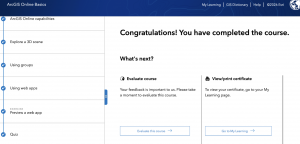
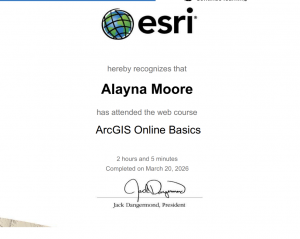
I have completed the course “ ArcGIS Online Basics”. I found this course to be a useful way to prepare students to use an unfamiliar website. For example, they introduced how to navigate web maps and use basic tools within ArcGIS Online. The course also described how we can share maps and build web applications, which was a nice refresher, as I remembered sharing one or two applications in ArcGIS Online in GEOG 291.
 .
. 
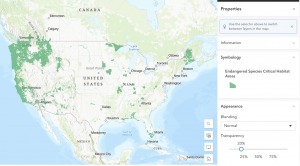
Application 1: You can use ArcGIS to visually analyze animal habitat distribution. For example, in the map “Endangered Species Critical Habitat Areas” by EPA Geospatial. This map depicts designated habitat data for species listed under the Endangered Species Act (ESA). Link: https://www.arcgis.com/home/item.html?id=d46156cc921d4b41923c70c280b82458
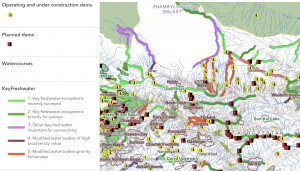
Application 2: You can use ArcGIS to designate different types of habitats by importance to their surrounding ecosystem. For example, the map “Key Freshwater Habitats in the Mountain Region of Central Asia” by Evgeny Egidarev. This map depicts key freshwater bodies of water deemed important for the survival of endangered fish endemic to Central Asia. These bodies were identified during a more than two-year-long research project. Link: https://www.arcgis.com/home/item.html?id=cadb59d8d14d43919230947a2cfaa91a